Shop for Computers
16X DVD Duplicator 1:1

Compare the top 5 lowest prices by hovering your mouse over the product names on the left

$259.99
Kanguru - 4 HD KanguruClone Hard... $2257.99
750GB QS2 eSATA / USB 2.0 Combo... $172.95
Kanguru - 12 HD KanguruClone Hard... $4895.00
500GB Kanguru 3.5" USB 2.0 Eco Drive $129.99

See More Products...

Topics:

Creating A RAID 5 Array
Creating A RAID 5 Array


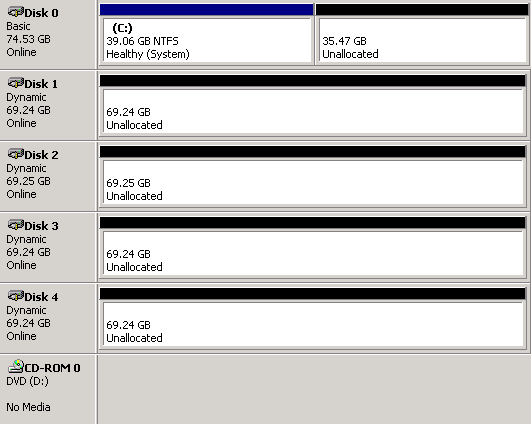
You now must reboot your system. Back in Windows, launch the management console and go to disk management. Here, all disk drives intended to be used in our RAID 5 array need to be converted to dynamic drives. After that, right-clicking one of the drives will open a context menu that allows a new volume to be created:
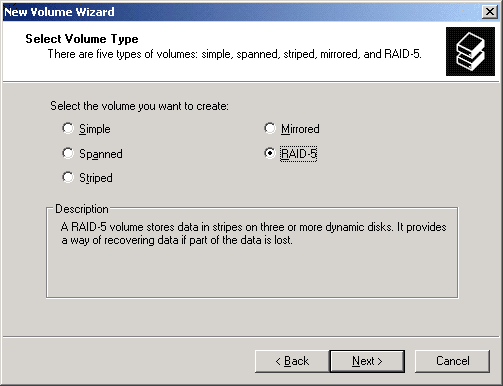

After modifying the files as shown above, WindowsXP is capable of supporting RAID 5 in software.
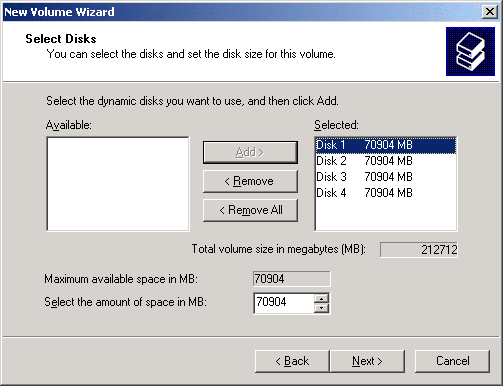

We used four Western Digital WD740 Raptor drives for our test array.


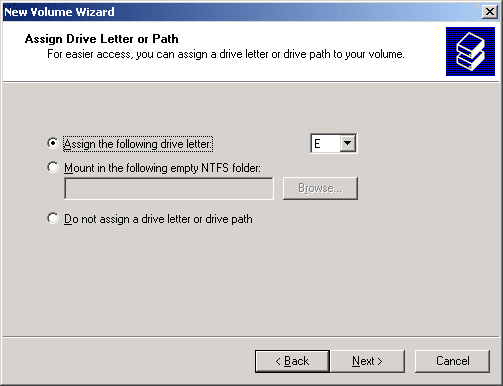
The following option windows...
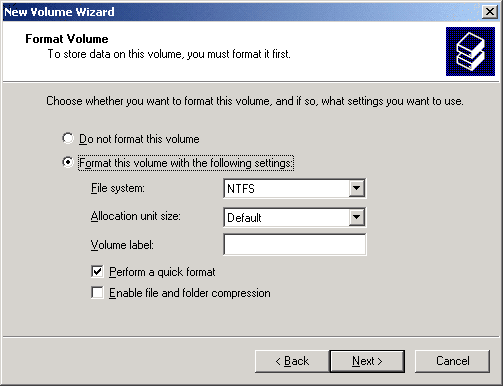

... do not differ whether you create an array or a simple volume.

As soon as Windows finishes creating the array, the RAID 5 will be available under Windows just as any other hard drive. That also include the option to grant individual or group-based permissions and share folders.


Talkback

Deleted profile 05/11/2008 4:45 AM
Hide
-0+
Can I grow an array made this way? That is, add another disk without having to lose the data currently held on the raid?
op365 06/28/2008 3:17 AM
Hide
-0+
op365
From past experience with Hardware RAID, you would have to first backup your data and then break the RAID and put in the higher capacity drives and create a new container.
The feature that you want/asking about is called X-RAID

Note You are going to post a comment as anonymous.