









Why you can trust Tom's Hardware Our expert reviewers spend hours testing and comparing products and services so you can choose the best for you. Find out more about how we test.
Comparison Products
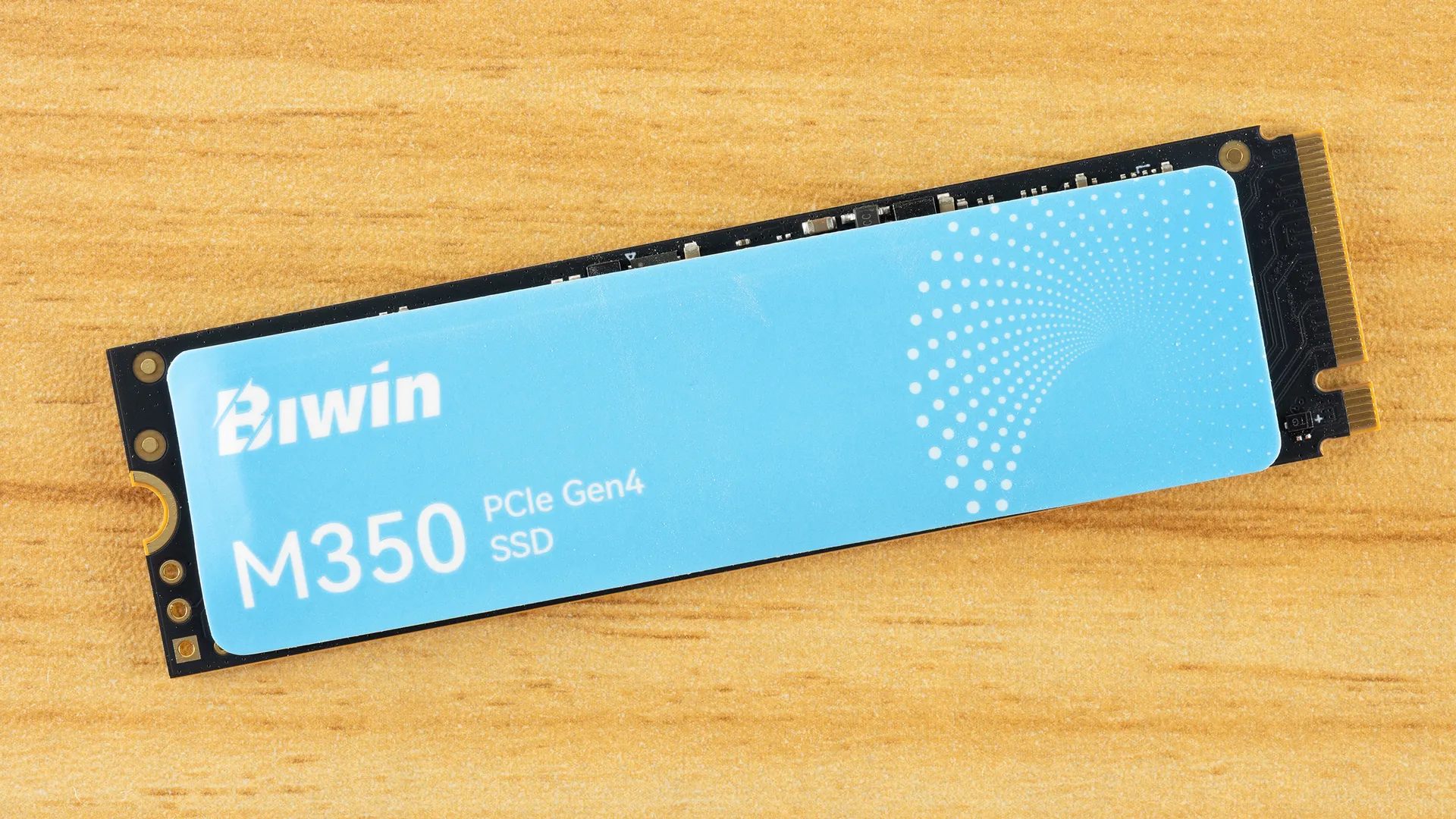
The Biwin M350 lands in a crowded mainstream consumer SSD marketplace. Older drives are lingering on for longer periods of time and newer drives at lower performance tiers are appearing more often. This includes the new Teamgroup NV5000 as well as the venerable Teamgroup MP44L and Silicon Power UD90. The Netac NV7000 also falls into the entry-level category, which is defined by drives in the ~5 GB/s range. A step up from there is the Kingston NV3, which fills the gap between these and higher-end drives. The NV3 is, in fact, a capable drive, but because it can use a range of hardware its specifications are more restrained. The M350 is, at least superficially, an NV3-killer.
Faster but more direct M350 competitors include the Biwin NV7200 and the WD Blue SN5000, which form a good baseline for performance expectations in the drive’s price range. At the very top of these largely QLC-based drives is the Crucial P310, which consistently leads in benchmarks and remains the drive to beat among mainstream offerings. We have to make it clear that some drives have switched hardware since we first tested them, the UD90 being a good example with TLC flash at launch but QLC for many SKUs later, but that does not adversely impact the result in this case.
Trace Testing — 3DMark Storage Benchmark
Built for gamers, 3DMark’s Storage Benchmark focuses on real-world gaming performance. Each round in this benchmark stresses storage based on gaming activities, including loading games, saving progress, installing game files, and recording gameplay video streams. Future gaming benchmarks will be DirectStorage-inclusive, and an evaluation for future-proofing is included where applicable.


The M350 manages to score 45µs in 3DMark latency, a respectable result in a category that usually reflects how fast a drive will load games on the whole. It’s clearly better than the ultra-budget NV5000 and even beats some popular budget favorites, ending up on par with the NV3. That’s exactly where Biwin wants this drive and it’s also a good result for a drive that might end up dedicated to game storage.
Trace Testing — PCMark 10 Storage Benchmark
PCMark 10 is an industry-standard trace-based benchmark that uses a wide-ranging set of real-world traces from popular applications and everyday tasks to measure the performance of storage devices. The results are particularly useful when analyzing drives for their use as primary/boot storage devices and in work environments.


The M350 impresses in PCMark, beating every drive here except the P310. This is an excellent result and shows that this hardware is surprisingly capable. It would certainly be fine as a primary drive in many systems – laptops, for instance – although we would caution against using it in a heavier system if you expect the drive to be very full. That said, it’s probably not much more vulnerable to that than other drives on this comparison list. If you’re on a budget, it will more than do.
Console Testing — PlayStation 5 Transfers
The PlayStation 5 is capable of taking one additional PCIe 4.0 or faster SSD for extra game storage. While any 4.0 drive will technically work, Sony recommends drives that can deliver at least 5,500 MB/s of sequential read bandwidth for optimal performance. Based on our extensive testing, PCIe 5.0 SSDs don’t bring much to the table and generally shouldn’t be used in the PS5, especially as they may require additional cooling. Check our Best PS5 SSDs article for more information.
Get Tom's Hardware's best news and in-depth reviews, straight to your inbox.
Our testing utilizes the PS5’s internal storage test and manual read/write tests with over 192GB of data both from and to the internal storage. Throttling is prevented where possible to see how each drive operates under ideal conditions. While game load times should not deviate much from drive to drive, our results can indicate which drives may be more responsive in long-term use.


The M350 is also more than enough for the PS5. Its read bandwidth is a bit disappointing – even the NV3 is better – which could impact overall loading times, although generally only by a tiny amount. We’re talking fractions of a second. We think the M350 is fast enough for the console and is an acceptable pick if you’re trying to save money. This isn’t the drive for you if you are more into high-performance drives, even if generally such a drive isn’t required for the console. There is something to be said for the reliability of some higher-end drives, but in our experience Biwin has not had issues in that department.
Transfer Rates — DiskBench
We use the DiskBench storage benchmarking tool to test file transfer performance with a custom 50GB dataset. We write 31,227 files of various types, such as pictures, PDFs, and videos to the test drive, then make a copy of that data to a new folder, and follow up with a reading test of a newly-written 6.5GB zip file. This is a real-world type workload that fits into the cache of most drives.


The drive’s copy performance is weak and that’s no surprise given its relatively low write transfer rate. It’s in the same ballpark of the other drives technically, all the way up to the NV7200, but its also-weak read transfer performance combines to bog down copying. This shouldn’t be an issue if it’s used as a secondary drive. If it’s the only drive in the system there are situations where this will make the drive feel less responsive than other options.
Synthetic Testing — ATTO / CrystalDiskMark
ATTO and CrystalDiskMark (CDM) are free and easy-to-use storage benchmarking tools that SSD vendors commonly use to assign performance specifications to their products. Both of these tools give us insight into how each device handles different file sizes and at different queue depths for both sequential and random workloads.


View Original

View Original

View Original

View Original

View Original

View Original

View Original

View Original

View Original

View Original

View Original

View Original

View Original

View Original

While the M350 is pretty solid with writes in ATTO, its reads are more lamentable. It’s not as bad as the NV3 and NV5000, which are very good things because the NV3 is a direct competitor. However, it’s weaker than the other drives and struggles even at higher block sizes. This is where it begins to feel a little more like a last-gen drive. These results map to CDM as sequential writes are good there, but QD1 sequential reads are below average. Yes, it beats the NV5000, but that’s a low bar. We consider it good enough because it matches the NV3, but it doesn’t punch in the same class as other popular drives. QD1 sequential reads are associated with responsiveness, so this goes beyond benchmarks.
On the flip side, random reads are quite punchy on the M350. This probably makes up for the weaker sequential read performance to a significant degree. 43µs is exceptional and means the drive can give an excellent experience under ideal conditions. You will also probably notice this can reach 1,000K IOPS in our testing, as the controller is specified, but the drive is not. This discrepancy could hint at an open door for hardware changes in the future, or Biwin might just prefer being conservative. The drive will probably slow down with longer use, so that helps fend off unjustified warranty claims, at least.
Sustained Write Performance and Cache Recovery
Official write specifications are only part of the performance picture. Most SSDs implement a write cache, which is a fast area of pseudo-SLC (single-bit) programmed flash that absorbs incoming data. Sustained write speeds can suffer tremendously once the workload spills outside of the cache and into the "native" TLC (three-bit) or QLC (four-bit) flash. Performance can suffer even more if the drive is forced to fold, the process of migrating data out of the cache to free up space for further incoming data.
We use Iometer to hammer the SSD with sequential writes for 15 minutes to measure both the size of the write cache and performance after the cache is saturated. We also monitor cache recovery via multiple idle rounds. This process shows the performance of the drive in various states, including the steady-state write performance.


We can quickly see the weakness of the M350’s QLC flash when looking at the bigger picture. Performance starts fine at almost 5.94 GB/s in the fastest pSLC cache mode. The drive eventually runs out of cache and briefly writes straight to QLC at around 550 MB/s. Finally, the drive is forced to slow down and migrate data from the cache to the native QLC, a slow process that brings steady state write performance down to 273 MB/s. While this is slow, it’s about right for QLC. Folding often performs at roughly one-half the native speed, which is the case here. Native speeds for QLC pale in comparison to the peak pSLC cache speed.
This is a 2TB drive, so when converting 4-bit QLC to 1-bit pSLC, you have a cache size ceiling around 512GiB. After system reserved space, this will be less, for example 500GiB or 537GB. Bandwidth is usually given in GB/s, while storage on Windows would be in GiB, so we have to do some translation. Our write log shows around 530GB for the cache, which would not leave a lot of flash free. In fact, the drive only writes in direct QLC mode for a very brief period of time. Writing straight to QLC doesn’t require later folding but is more than an order of magnitude slower to write than pSLC. It can also increase drive wear.
It’s not atypical for QLC-based drives to have a cache that uses all of the drive’s flash. Outside of the cache, QLC in this case is about one-third the speed of equivalent-generation TLC flash. This combination means that once the drive actually runs out of cache, it must hit a folding state, which will often be one-sixth of comparable direct-to-TLC speeds. The folding state also increases latency, so the drive can feel worse in that situation, especially with non-sequential or mixed workloads. Bottom line, if you keep the drive away from that, it’ll be just fine, and you do have to hit the drive pretty hard to get it there.
Power Consumption and Temperature
We use the Quarch HD Programmable Power Module to gain a deeper understanding of power characteristics. Idle power consumption is an important aspect to consider, especially if you're looking for a laptop upgrade, as even the best ultrabooks can have mediocre stock storage in terms of capacity and performance. Desktops are often more performance-oriented with less support for power-saving features, so we show the worst-case scenario for idle.
Some SSDs can consume watts of power at idle while better-suited ones sip just milliwatts. Average workload power consumption and max consumption are two other aspects of power consumption, but performance-per-watt, or efficiency, is more important. A drive might consume more power during any given workload, but accomplishing a task faster allows the drive to drop into an idle state more quickly, ultimately saving energy.
For temperature recording, we currently poll the drive’s primary composite sensor during testing with a ~22°C ambient. Our testing is rigorous enough to heat the drive to a realistic ceiling temperature, but real-world temperatures will vary due to the environment and workload factors.


View Original

View Original

View Original

View Original

The M350 is exceptionally efficient, which, as we mentioned previously, is a big selling point. This is a budget drive clearly aimed at laptops and other devices where you want to avoid thermal throttling and high power usage. The peak draw of 4.53W aligns perfectly with the max SMART power state of 4.50W. Sometimes budget drives won’t do as well in the power efficiency category – see our recent Seagate X1070 review for a good example – which, while fine, reduces the unit’s appeal. You can excuse away some niche performance issues on a laptop if the drive is running super cool.
The M350 exposes two temperatures, which we would say are essentially reported by the sensors for the flash memory and the controller. The latter tends to be more important when talking about heat and throttling. The M350 peaked at 63°C in our testing. We record this during a test that’s not necessarily realistic for the average user, but it gets the temperatures up to a reasonable peak. It’s possible to get drives hotter, but in general, our value is more grounded in reality.
Most drives today throttle around 85°C or so, and a good rule-of-thumb is to have 20°C or more of headroom for cooling without a heatsink in a laptop. The M350 hits this target. 10°C is a good target for desktop ranges, that is, with the assumption that some users will have worse cooling environments. The ambient can be adjusted for otherwise to some degree. We usually recommend a heatsink for the <20°C range to be on the safe side, but <10°C is a more critical situation unless you know you have good cooling.
Test Bench and Testing Notes
CPU |
|
Motherboard |
|
Memory |
|
Graphics |
Intel Iris Xe UHD Graphics 770 |
CPU Cooling |
|
Case |
|
Power Supply |
|
OS Storage |
|
Operating System |
We use an Alder Lake platform with most background applications, such as indexing, Windows updates, and anti-virus, disabled in the OS to reduce run-to-run variability. Each SSD is prefilled to 50% capacity and tested as a secondary device. Unless noted, we use active cooling for all SSDs.
Biwin M350 Bottom Line
The Biwin M350 is actually a halfway decent drive. The manufacturer has been doing well lately, as we also like the NV7200 and NV7400. You might be asking yourself: what exactly is the difference between, say, the NV7200 and the M350? The model names are different for a reason – the X570 line is high-end, the NV line is mainstream, and the M series is entry-level/budget – but it’s still pretty weird to compare the two drives because at their heart they are very similar. Biwin’s specifications for the M350 are notably lower despite the fact that the drive can get into the NV7200’s range, which again makes us think it’s specified deliberately. We’ve mentioned before that this is done in cases where hardware might be swapped down the line, but it also helps with market segmentation. For the end user, this means you can probably get comparable hardware at a lower price, much as CPUs have sometimes been artificially binned. Having this knowledge is to your advantage as a buyer.
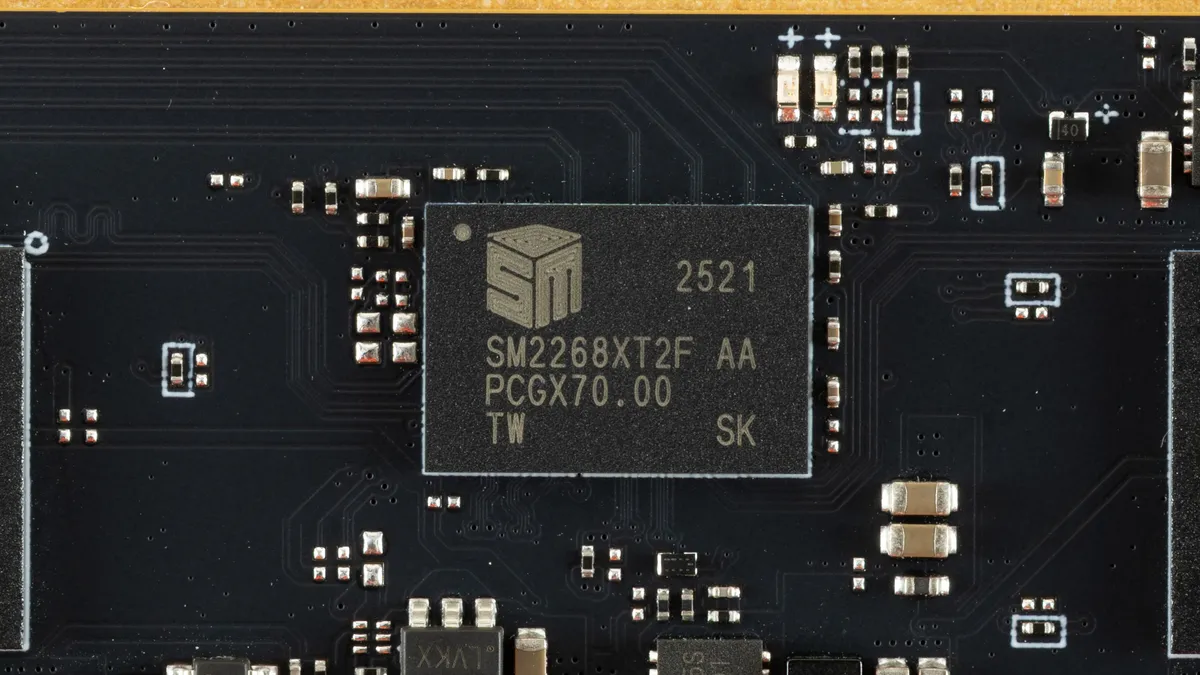
Fundamentally, there is nothing wrong with this drive aside from the fact that it uses QLC flash. Performance is good, efficiency is good, and even the endurance rating is not too bad. The rated speeds are disappointing, but, in real-world terms, don’t much matter for a drive in this class. This is Biwin’s NV3-killer, so its positioning makes sense. It also drives separation between the Maxio-powered NV7xxx drives as the M350’s SMI controller – the same one Kingston uses on its NV3 – has its own plusses and minuses. Frankly, SMI’s controllers are underutilized, and putting them into place for budget drives makes a lot of sense. From a manufacturer’s perspective, the working relationship is also different from one would have with, say, Phison. For you, the consumer, this means slightly better pricing relative to the hardware quality. At least in our opinion.
The M350 has the same complaints that we have for any other drive in this class. QLC flash has its weaknesses, and there is no DRAM. Biwin has decent support software, and the hardware seems good, though. Otherwise, the drive performs better than expected. It is honestly a pretty good choice in the current market. The choices made help us think Biwin is leaning more towards non-YMTC flash, which makes sense as it is trying to expand its position in memory markets.
I mean, let’s be honest, having an NV3 competitor is a pretty good idea given its sales, especially if that means having more flexibility on the hardware side of things. That said, Biwin does not have the reputation of hardware swaps that Kingston does, so the M350 is probably even better than it looks on paper. We recommend it for laptops, desktops, and the PS5, although a high-end system should look higher for a primary drive.
MORE: Best SSDs
MORE: Best External SSDs
MORE: Best SSD for the Steam Deck

Shane Downing is a Contributing Writer for Tom’s Hardware, covering consumer storage, PC hardware, and AI.
-
labkid Reply
Sadly though, they don't have unique NGUID's like all NVNe disks are supposed to. This means you can't use then in a BTRFS pool as you won't be able to restore your pool. If disks in the pool have identical NGUID, then the symlinks dont know which disk they point to and data corruption happens.Admin said:The Biwin M350 is a budget PCIe 4.0 SSD done right. It has good performance where it matters and good power efficiency, too. But it still has the weaknesses of QLC flash, like poor sustained performance.
Biwin M350 2TB SSD Review: A Better Budget Alternative? : Read more
I found this out the hard way after purchasing 4 for my Mini PC NAS running OMV 8. At least my Sons gaming computer got an upgrade to a 4TB drive as I am forced to repurpose them.
Naughty BIWIN.