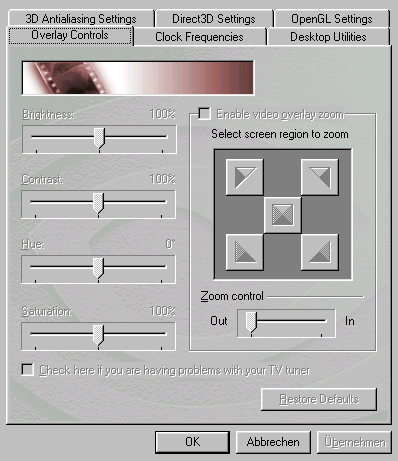
Video overlay is ideal for avoiding flicker. It permits a video signal to be displayed independently of the refresh rate. Once activated, this feature allows you to zoom and to set brightness, contrast, hue and saturation. Snapshots, however, can't be made in overlay mode.
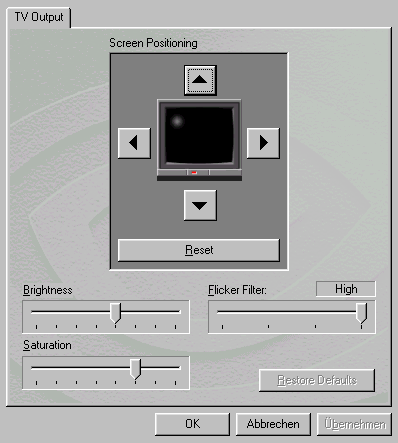
Video positioning on the monitor is as easy as one-two-three...
Tweak Utility

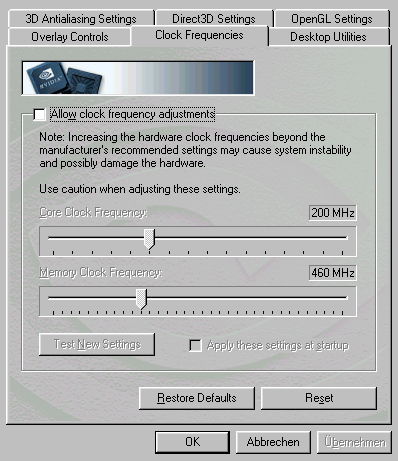
Overclocking features are activated per registry tweak. You can even retain them by clicking on the "Apply these settings at startup" option.
Hint: Only those driver extensions have been published that aren't already available as part of the NVIDIA reference driver. Anyone unfamiliar with the reference driver can find screenshots here .
Summary
- Introduction
- GeForce3 Up Close & Personal
- The Boards In Brief
- Asus V8200 Deluxe
- Asus V8200 Deluxe, Continued
- Video Encoder And Decoder In One Chip
- Drivers
- Drivers, Continued
- Asus Taskbar
- Video Recorder
- Asus Live
- Hardware Monitor
- Elsa Gladiac 920
- Video Module
- Drivers
- Gainward CARDEXpert GeForce3
- Video-In And Video-Out With Philips Chip
- Powerpack / Expert Tool
- Expert Tool, Continued
- Taskbar
- Video Recorder, Continued
- Hercules 3D Prophet III
- Connectors And TV-Out
- Drivers
- Leadtek WinFast GeForce3
- Drivers
- Drivers, Continued
- Taskbar
- Winfox
- MSI Starforce822
- Connectors And VIVO Module
- Drivers
- 3D! Turbo
- 3D! Turbo, Continued
- Visiontek GeForce3
- TV-Out Connector
- Drivers
- Test Methodology And Configuration
- Game Benchmarks At 1024x768
- MDK2 1024
- Aquamark 1024
- Quake3 Normal 1024
- Quake3 High Quality 1024
- Dronez 1024
- MTBR 1024
- Game Benchmarks At 1600x1200
- MDK 1600
- Aquamark 1600
- Quake3 Normal 1600
- Quake3 High Quality 1600
- Dronez 1600
- MTBR 1600
- 3DMark 2000/2001 At 1024x768
- 3DMark2001 At 1024x768
- 3DMark 2000/2001 At 1280x1024
- 3DMark2001 1280x1024
- Overclocking
- Recommendations
- Features Table