The Graphics Cards Articles
- VGA Charts VIII: PCI Express Winter 2005
- Don't Throw Out Your ATI Radeon X800 Yet
- NVIDIA's GeForce 7800 GTX 512 New Graphics Champion
- The DDR2 Joker Upgrades GeForce 6600
- 80's Drivers Rock And Roll SLI
- Two GTs Great For Gaming
- ATI Enters The X1000 Promised Land
- NVIDIA Is In The CrossFire
- Are Intel's Integrated Graphics Processors Good Enough for Gaming?
- Hard Disk Drive Video Players Hit The Mainstream
News
Reviews
Forum
- AMD pushes out three more triple-core chips!!
- Phenom as good or better than Intel in gaming?
- Build Now or Wait for Nehalem?
- Deneb in December
- Core2 Duo, Q6600, or Phenom 9950 BE ?
- Should I air or water cool my gaming rig?-Please help!
- RAM overclock question
- Core 2 Quad and Duo Temperature Guide
- Q6600, Abit IP35-Pro, and Voltage Levels
- First attempt at overclocking (Q9450)
6:06 AM - December 9, 2005 by
Tino Kreiss
Source: Tom's Hardware US – Keywords: nvidia
Topics: Buyer's Guides
Syndication:
Source: Tom's Hardware US – Keywords: nvidia
Topics: Buyer's Guides
Syndication:
Table of Contents:
Tools And Software
The software bundle consists of the software DVD player Power DVD 6 and the game Xpand Rally.
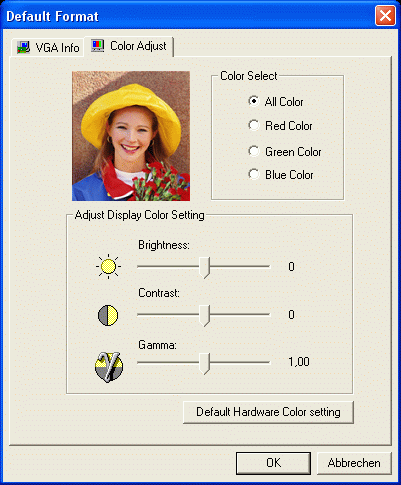
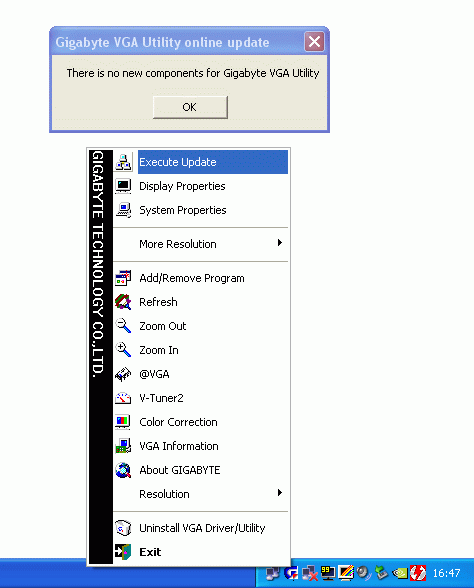
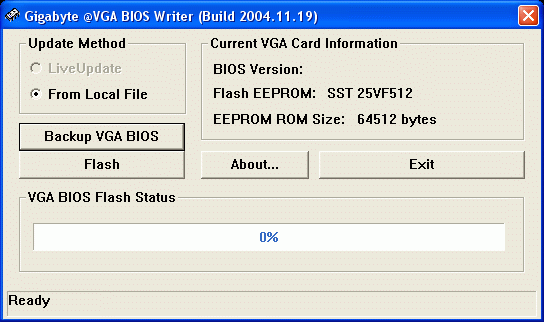
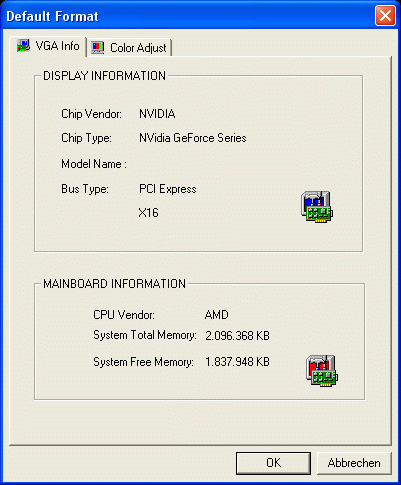
The most important tool, aside from the graphics driver of course, is Gigabyte's VTuner 2, which allows the user to monitor and change the card's clock speeds. A right-click on the taskbar icon opens up a context menu with more information and additional utilities:
- VGA BIOS Writer lets you save and easily update the graphics card's BIOS.
- Color Adjust lets you fine-tune brightness, contrast and gamma level.
- Execute Update checks for new versions of the utilities on Gigabyte's servers. Sadly, it lacks a status window - you just get a little message window if your utilities are up to date.
- Finally, VGA Info is rather useless, as even the NVIDIA driver offers more information.
- Previous page Gigabyte GeForce 6600 GT Silentpipe II
- Next page Web Support