









Why you can trust Tom's Hardware Our expert reviewers spend hours testing and comparing products and services so you can choose the best for you. Find out more about how we test.
Comparison Products
We’ll be comparing the 8TB Optimus GX Pro 8100 to the 2TB WD Black SN8100 – this is effectively the same drive, but at a lower capacity – as well as the 8TB Samsung 9100 Pro, perhaps the best known high-end PCIe 5.0 SSD available at 8TB. The Kingston Fury Renegade, which also uses the same hardware as the Optimus GX Pro 8100 and Black SN8100, is available at 8TB but reviewed at 2TB. It does perform differently from the other two drives, as WD and SanDisk have custom optimization.
We’ve also thrown in the Crucial T710, with the same controller but Micron’s 276-Layer TLC flash instead of BiCS8, and the Phison E26-based Corsair MP700 Pro SE with Micron’s 232-Layer TLC. This latter flash is used with the Silicon Motion SM2508 controller – the same as the Optimus GX Pro 8100 uses – on the Lexar NM1090 Pro and other “budget” high-end PCIe 5.0 drives. Lower-end PCIe 5.0 drives include the Addlink G55 and Crucial P510, included to illustrate the gap between the mid-range and the high end.
This gives a good set of drives for comparison with two areas lacking: PCIe 4.0 drives, which we really don’t think can compare to a monstrous drive like this, and Phison E28-based drives, since we haven’t really seen those on the market and never at 8TB. We’re comparing drives that exist on the market or have been generally available to account for real-world market conditions.
Trace Testing — 3DMark Storage Benchmark
Built for gamers, 3DMark’s Storage Benchmark focuses on real-world gaming performance. Each round in this benchmark stresses storage based on gaming activities, including loading games, saving progress, installing game files, and recording gameplay video streams. Future gaming benchmarks will be DirectStorage-inclusive, and an evaluation for future-proofing is included where applicable.


We just spoke about the excellent latency we see with the Optimus GX Pro 8100’s BiCS8 flash, and here we can see the flash in action. The drive is just as fast as the Black SN8100 – unsurprising, as it uses the same hardware, which puts it above every other drive we’ve tested. The drive does appear to be a little bit slower at 8TB when factoring in bandwidth, but this is also unsurprising. Drives with an excess of flash will have more overhead and perform more weakly. However, this is still an incredibly fast drive on par with something like the Corsair MP700 Pro XT, a superfast drive we don’t have on this list because frankly, we haven’t seen the drive available and certainly not at 8TB.
The only thing we can add here is some discussion about using a drive like this for gaming. In fact, SanDisk does advertise the Game Mode, and we think that’s worth mentioning. The SanDisk Dashboard lets you enable, disable, or use auto-detection for Game Mode, a feature that basically puts or keeps the drive in a higher power state for superior readiness. We can loosely estimate what this will mean for load-time improvement, as we can see the enter and exit latencies in SMART. For this drive, from idle to load, these are 1,500µs and 8,500µs or 1.5ms and 8.5ms, if you prefer. Very small amounts of time in the grand scheme of things, and you will see real gains about an order of magnitude better…which is still really small.
As it so happens, SanDisk does show the difference in Final Fantasy XIV. For the 8TB drive, the average improvement is 0.05s, which is on the order of ~1%. This is on an Intel system, for those keeping count. AMD and Intel platforms will perform differently. Naturally, this result is not super impressive, but some systems and games will see larger improvements. We think for desktop use, and if this is your primary drive – a drive you use for everything, especially then Game Mode could be a free tweak. Just don’t set your expectations too high.
Get Tom's Hardware's best news and in-depth reviews, straight to your inbox.
Trace Testing — PCMark 10 Storage Benchmark
PCMark 10 is an industry standard trace-based benchmark that uses a wide-ranging set of real-world traces from popular applications and everyday tasks to measure the performance of storage devices. The results are particularly useful when analyzing drives for their use as primary/boot storage devices and in work environments.


PCMark 10 performance is phenomenal. There is no performance drop evident from going up to 8TB from 2TB, either. This is a very expensive drive – the 8TB Black SN8100 might be the better bet, but it is still expensive – and it’s worth every penny if you care about having the absolute highest levels of performance combined with capacity. This is a much more expensive proposition these days than it was a year or two ago, and, usually, we would recommend putting that money elsewhere in your build. Unfortunately, other hardware components, such as RAM, have also seen massive price increases. We don’t expect SSD prices to come down soon, either, so prepare yourself for a serious investment if this is the way you want to go.
Console Testing — PlayStation 5 Transfers
The PlayStation 5 is capable of taking one additional PCIe 4.0 or faster SSD for extra game storage. While any 4.0 drive will technically work, Sony recommends drives that can deliver at least 5,500 MB/s of sequential read bandwidth for optimal performance. Based on our extensive testing, PCIe 5.0 SSDs don’t bring much to the table and generally shouldn’t be used in the PS5, especially as they may require additional cooling. Check our Best PS5 SSDs article for more information.
Our testing utilizes the PS5’s internal storage test and manual read/write tests with over 192GB of data, both from and to the internal storage. Throttling is prevented where possible to see how each drive operates under ideal conditions. While game load times should not deviate much from drive to drive, our results can indicate which drives may be more responsive in long-term use.


As expected, the Optimus GX Pro 8100 performs well in the PS5. This drive is overkill for the console in every possible way, but it will deliver a good experience if you decide to buy it for this use case. There is some argument to be made for an 8TB PS5 drive – you can’t add multiple internal drives as you can on a desktop PC, and maybe you want extreme capacity, too. This drive running at PCIe 4.0 speeds will also be pretty efficient, which is a nice bonus. Conceivably, you might use the drive in your PS5 temporarily, future-proofing, or making an investment in the drive. Regardless of your potential reasons, we still recommend reserving this drive for a high-end desktop.
Transfer Rates — DiskBench
We use the DiskBench storage benchmarking tool to test file transfer performance with a custom 50GB dataset. We write 31,227 files of various types, such as pictures, PDFs, and videos to the test drive, then make a copy of that data to a new folder, and follow up with a reading test of a newly-written 6.5GB zip file. This is a real-world type workload that fits into the cache of most drives.


With DiskBench, we’re primarily looking at the copy transfer rate to get a good feel for real-world mixed I/O performance. The Optimus GX Pro 8100 matches the Fury Renegade G5 almost exactly, which, considering they use the same hardware, makes sense. WD and SanDisk get more performance out of this hardware thanks to proprietary optimizations; you can see this with the Black SN8100’s superior result, which again makes for a very fast drive. Drives with Phison’s E28 controller, like the aforementioned Corsair MP700 Pro XT, are faster yet, but are just not readily available at this time. We consider the Black SN8100, and therefore the Optimus GX Pro 8100, as being the fastest drives you can regularly buy right now.
We should emphasize that the latter drive is slower than the former in this specific test because we’re comparing a 2TB to 8TB. An 8TB drive can have more overhead with more flash dies. You can see from the specifications table that the 8TB drive pulls more power, for example, and ultimately, performance takes many factors, including power consumption or heat dissipation, into consideration as the controller is always trying to optimize multiple things simultaneously.
Also, write performance is contingent on pSLC caching, which is not precisely the same at different capacities. The cache will be relatively larger at 8TB than 2TB, but with very large caches, as are used with SanDisk’s nCache 4.0, it is likely that the average write speed at 8TB will be somewhat reduced. The controller has to juggle multiple objectives at once, like incoming writes, already-written writes that have to be moved over from the cache, interruptive reads, wear-leveling, etc., which is a job that becomes more complex with 64 flash dies. As a result, slightly lower performance here and in our write saturation test is expected.
Synthetic Testing — ATTO / CrystalDiskMark
ATTO and CrystalDiskMark (CDM) are free and easy-to-use storage benchmarking tools that SSD vendors commonly use to assign performance specifications to their products. Both of these tools give us insight into how each device handles different file sizes and at different queue depths for both sequential and random workloads.


View Original

View Original

View Original

View Original

View Original

View Original

View Original

View Original

View Original

View Original

View Original

View Original

View Original

View Original

Let’s start with ATTO and take a look at reads, as writes are pretty stable with this drive. For reads, we see the MP700 Pro SE, the only drive using the Phison E26 controller here, doing the best below 4KiB. We’ve pointed this out before, as many E26 drives, the MP700 Pro SE included, have twice as much volatile memory (DRAM) as normal. That is, this 4TB drive has 8GB of DRAM. We posited that this might be because the E26 had enterprise origins, and the one case you’d need more memory is if you went with a smaller granularity for mapping or had other, heavier metadata requirements.
To cover the technicals quickly, most drives opt to map 4KiB logical pages with 32-bit (4-byte) addressing, which delivers the 1GB:1TB DRAM:NAND flash ratio. This ignores compression and non-mapping metadata, but it is decently representative of the general requirement. If you need to map with smaller granularity, many enterprise workloads demand 2KiB I/O, which is one reason Samsung’s original Z-NAND operates in both 2KiB and 4KiB modes; then you want more memory. This may be one reason the E26 is better here. This is probably only interesting to you if you’re buying a high-end drive and specifically need enhanced performance in this area. Other metadata cases also need memory, but many algorithms, including those for wear-leveling, use block-level granularity, which requires far less memory given large modern block sizes.
The other area of note is 2MiB, where we see many, but not all, of the drives dip. In some cases, this might be because of superpage alignment or nuances of the flash, controller, or flash and controller combination. The NM1090 Pro, for example, doesn’t look too happy there, but the Kingston Fury Renegade G5 has no issue. A look at our logarithmic scale graph shows that the differences between the affected drives are otherwise exaggerated, which matches our real-world findings. Nevertheless, we would recommend a drive with newer flash, like BiCS8, 276-Layer Micron, or Samsung’s 236-Layer, if you want the most consistent performance across larger block sizes. If you’re dealing with media and larger files, that means you.
This translates to CDM, where the QD1 sequential read results for 1MB give some idea of real-world file transfer performance. The Optimus GX Pro 8100 suffers to some extent here, although that might be in part due to its high capacity. Worth noting is that the 8TB 9100 Pro doesn’t suffer in comparison to its 2TB peer, but we’re dealing with a different controller and different flash. Samsung specifically is very good at packaging, which could be one reason. Regardless, the Optimus GX Pro 8100 is able to recover at a higher queue depth, but that only pulls it even with the other top drives. Sequential writes are a different story as the drive handles itself well, and it outperforms the 8TB 9100 Pro at both queue depths. This makes it more interesting for some workloads where you might expect more writes.
Random 4KB latency is also good with random read latency, in particular, being off the chart. Other drives just can’t compare. If you thought the Black SN8100 was a fluke, think again. Drives with the same hardware, like the Fury Renegade G5, also can’t compete with WD’s and SanDisk’s optimization. This level of performance is stellar compared to what we considered the old cut-off for high performance at 45µs. The Optimus GX Pro 8100 is a bit slower than the Black SN8100, but all this really does is underline that these drives are clearly the fastest 8TB drives out there when it comes to what most people care about. For many enthusiasts, this result alone makes the drive the de facto choice.
Sustained Write Performance and Cache Recovery
Official write specifications are only part of the performance picture. Most SSDs implement a write cache, which is a fast area of pseudo-SLC (single-bit) programmed flash that absorbs incoming data. Sustained write speeds can suffer tremendously once the workload spills outside of the cache and into the "native" TLC (three-bit) or QLC (four-bit) flash. Performance can suffer even more if the drive is forced to fold, the process of migrating data out of the cache in order to free up space for further incoming data.
We use Iometer to hammer the SSD with sequential writes for 15 minutes to measure both the size of the write cache and performance after the cache is saturated. We also monitor cache recovery via multiple idle rounds. This process shows the performance of the drive in various states including the steady state write performance.


This is an 8TB drive, and an 8TB drive can have a massive pSLC cache. A 3-bit, TLC drive operating in a single-bit mode can have a cache up to one-third its capacity. For an 8TB drive, this is approximately 2.7TB if you’re going by maximum user space, but it can be larger if you’re going by raw flash. The reason we mention this is that it often appears as if WD’s or SanDisk’s nCache 4.0 is a full-drive, dynamic pSLC scheme, but in reality, there is a static portion, and, further, it seems that some amount of flash is left free to improve write consistency. Static pSLC is always available and operates separately from dynamic pSLC, which also improves write consistency. The sizes of each portion can differ with a hybrid scheme, as is the case with Samsung’s TurboWrite 2.0 on the 9100 Pro and other drives.
With that explanation out of the way, let’s look at the drive’s response. It writes at 13.1 GB/s for over 204 seconds with a 2,673GB cache. This is a little bit slower than the Black SN8100’s 13.2 GB/s. Once the cache is exhausted, the drive can write directly to the TLC flash at around 7.64 GB/s. This precisely matches expectations as it’s less than double the speed of the 2TB Black SN8100’s ~3.92 GB/s in this mode. We would expect up to double the speed with double the flash in parallel — the 2TB drive has 16 dies when you can parallelize up to double that amount with four dies per eight flash channels, reached at 4TB and not improved at 8TB. In fact, going up to 8TB can slightly reduce performance.
Finally, the drive runs out of free cache and is forced to wait for data to be moved over from pSLC to native TLC. This “folding” mode slows the drive down considerably. Our steady state write performance for the drive comes in at over 3.1 GB/s, which is less than one-half the TLC speed and, in fact, lower than what the 2TB Black SN8100 achieves. This is because having a large cache means you are fighting a losing battle with sufficiently long writes. You’re trading capacity for temporary speed, but eventually, that has to be paid back. The 8TB 9100 Pro, which also writes a bit slower than its 2TB version at steady state, is way behind the Optimus GX Pro 8100 at just 1.7 GB/s. This is somewhat misleading as the 9100 Pro has very consistent write performance, but it is undeniably slower. Jumping back and forth with write performance as cache is freed is not ideal on top of the added latency to reads during folding. Writing more slowly can improve endurance in part by deferring writes to avoid unnecessary rewrites, so speed is not everything.
Power Consumption and Temperature
We use the Quarch HD Programmable Power Module to gain a deeper understanding of power characteristics. Idle power consumption is an important aspect to consider, especially if you're looking for a laptop upgrade, as even the best ultrabooks can have mediocre stock storage in terms of capacity and performance. Desktops are often more performance-oriented with less support for power-saving features, so we show the worst-case scenario for idle.
Some SSDs can consume watts of power at idle while better-suited ones sip just milliwatts. Average workload power consumption and max consumption are two other aspects of power consumption, but performance-per-watt, or efficiency, is more important. A drive might consume more power during any given workload, but accomplishing a task faster allows the drive to drop into an idle state more quickly, ultimately saving energy.
For temperature recording, we currently poll the drive’s primary composite sensor during testing with a ~22°C ambient. Our testing is rigorous enough to heat the drive to a realistic ceiling temperature, but real-world temperatures will vary due to the environment and workload factors.


View Original

View Original

View Original

View Original

The Black SN8100 is an extremely efficient drive, so we had high hopes for the Optimus GX Pro 8100, too. Luckily, the drive remains very efficient even at 8TB, beating all but the newest, most efficient drives. It also easily clears the 8TH 9100 Pro, its foremost rival. At over 600 MB/s per watt, this drive can even be run without a heatsink.
In our testing, it reached 75°C, which is 15°C below the initial throttling state. We usually recommend at least 10°C of headroom, with 20°C being ideal. In-between means that you may want to put a heatsink on this drive in hotter systems to be on the safe side. However, that aside, being able to hammer an 8TB high-end PCIe 5.0 drive with writes at a reasonable temperature and being able to copy files efficiently is, frankly, astounding at this level of performance.
The Optimus GX Pro 8100 is simply peerless until we see more 8TB options on the market. We freely admit that we think the 8TB Fury Renegade G5 would give it a run for its money, but, on the whole, the Optimus GX Pro 8100 would probably win. There are no 8TB E28-based drives available, so we feel safe in saying that this is what peak performance looks like at this time.
Test Bench and Testing Notes
CPU |
|
Motherboard |
|
Memory |
|
Graphics |
Intel Iris Xe UHD Graphics 770 |
CPU Cooling |
|
Case |
|
Power Supply |
|
OS Storage |
|
Operating System |
We use an Alder Lake platform with most background applications, such as indexing, Windows updates, and anti-virus, disabled in the OS to reduce run-to-run variability. Each SSD is prefilled to 50% capacity and tested as a secondary device. Unless noted, we use active cooling for all SSDs.
SanDisk Optimus GX Pro 8100 Bottom Line
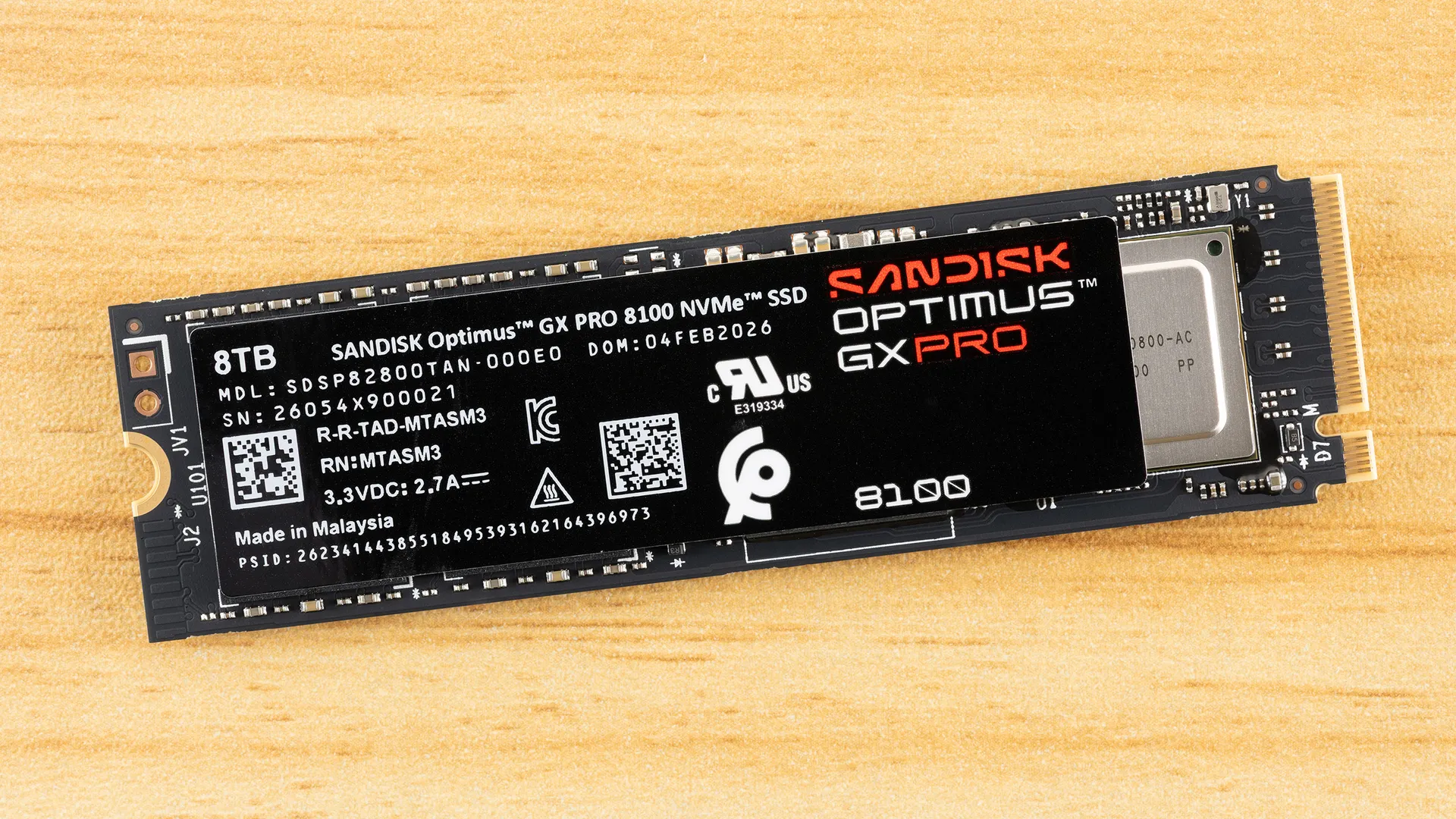
The SanDisk Optimus GX Pro 8100 is simply the finest, fastest 8TB SSD on the market. Yes, it’s the same as the WD Black SN8100, but this is the one we have before us. You can’t go wrong with either drive. We think it would beat the 8TB Kingston Fury Renegade, given WD’s and SanDisk’s special sauce, and we feel it defeats the 8TB Samsung 9100 Pro overall. Your other option is the 8TB WD Black SN850X, which is, of course, only PCIe 4.0. Right now, it’s $300 less, or to put it another way, the Black SN8100 is 20% more. Is it worth the jump up? Honestly, yes, if you want maximum performance, but having the option of the Black SN850X is nice for older systems and the PS5. Many laptops can’t take advantage of PCIe 5.0 drives yet, either. On the other hand, if you’re dropping this much money, then maybe you should go all out and just future-proof.
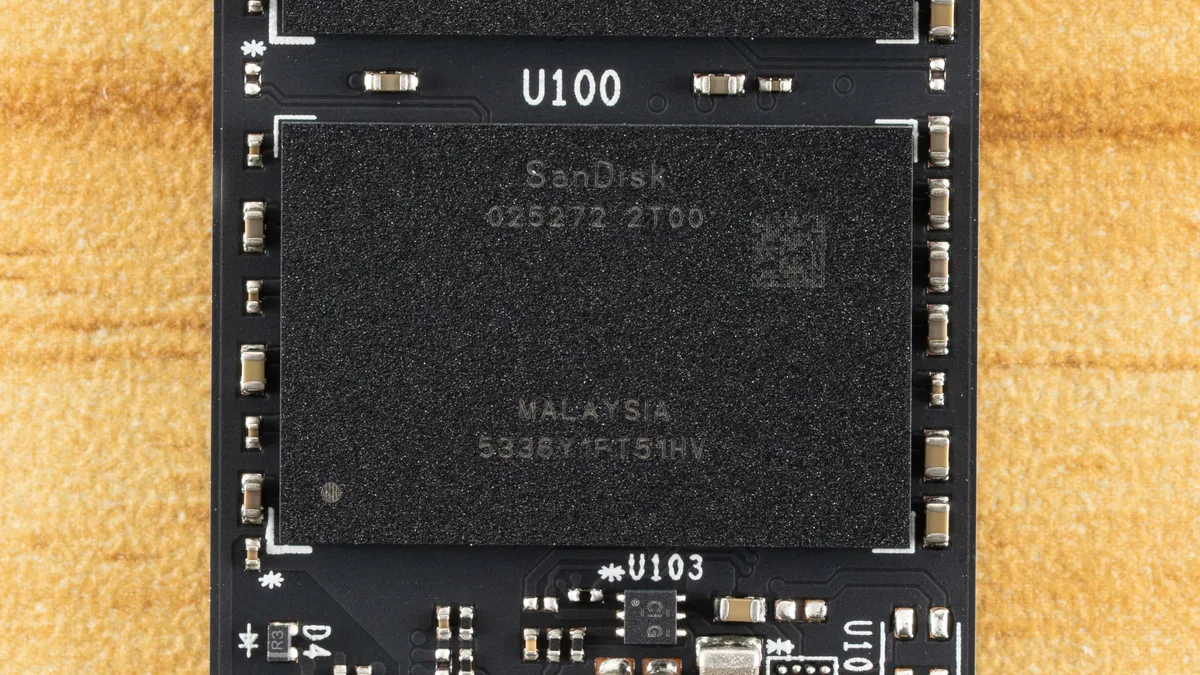
The Optimus GX Pro 8100 shines almost everywhere it matters. It has class-leading random read latency, which, for many users, is the metric to use for real-world feel. It’s lightning fast even without the optional Game Mode enabled, although that makes the drive even more responsive. The drive is very power-efficient, especially compared to earlier PCIe 5.0 solutions. It has plenty of bandwidth, and SanDisk backs it with all the software you need.
The drive is not perfect, but it performs well enough in all of our tests that we would be hard-pressed to put any drive in front of it except maybe something like the Corsair MP700 Pro XT. Which would be fine if such a drive were purchaseable. 8TB drives based on Phison’s E28 controller are coming, but we simply can’t bet on them being available just yet.
If this drive has a downside, it’s the pricing. Right now, the Black SN8100 is the better deal. For that matter, so is the 9100 Pro. However, if we assume the price goes down to where it should be, we can feel it would be the best drive available. We also should point out that the heatsink premium on this drive, right now, is too large to consider, with a custom solution being the way to go. This might also change in the future, and as the heatsink matches the drive with programmable RGB LED, it should be a good option if the premium is cut. We have no other complaints with the drive and could even, in some cases, recommend it for PCIe 4.0 slots, as, frankly, it has the performance to sustain PCIe 4.0 speeds and would be even more power-efficient. It’s just that the experience will cost you, whether you go for this or the Black SN8100.
MORE: Best SSDs
MORE: Best External SSDs
MORE: Best SSD for the Steam Deck
- 1
- 2
Current page: SanDisk Optimus GX Pro 8100 8TB Performance Results
Prev Page SanDisk Optimus GX Pro 8100 Introduction
Shane Downing is a Contributing Writer for Tom’s Hardware, covering consumer storage, PC hardware, and AI.
-
saunupe1911 So I wish these NVME manufacturers would just manufacture a version that just target datacenters. That way it's allocated directly to them. Keep the consumer versions for consumers at a lower price point. Basically fleet vs commercial per se.Reply -
ravewulf The SN850X has plenty of performance for my needs, and I'd like to buy another 4TB or upgrade to 8TB when the prices are sane again, but I highly doubt it'll get a price reduction as newer models are released, at least in this market.Reply -
ejolson I expected a crazy $800 price for 8TB, but it's actually $2800. At least people can still afford drinking water.Reply -
bit_user Maybe this is a little unfair, but I'm somewhat stuck by the visual and naming similarity between the Sandisk GX Pro 8100 and the Samsung 9100 Pro.Reply
Not so much when you look at them side-by-side, but I could imagine that someone might confuse the Sandisk as being a drive in Samsung's product line, if they're not very familiar with either company. And, Sandisk's color and naming scheme certainly doesn't do anything to discourage the confusion. -
bit_user Reply
But the same NAND chips are used in both, and that's the scarce commodity. Even if they'd have consumer-only NAND chips, those are made in the same fabs as the datacenter ones and those fabs are booked at full capacity for the next couple years.saunupe1911 said:So I wish these NVME manufacturers would just manufacture a version that just target datacenters.
The only way supply constraints ease up is if the AI bubble pops. -
bolweval Reply
I would swim naked in a pool full of broken glass before i would pay that much for a drive.ejolson said:I expected a crazy $800 price for 8TB, but it's actually $2800. At least people can still afford drinking water. -
Ricket5 Reply
That is not at all how this works. The core components for datacenter, enterprise, commercial, and consumer products are all the same. So if someone is willing to pay more to goggle up more parts that raises the price for the parts for everyone. That is what's going on. They can't make a cheaper consumer drive.saunupe1911 said:So I wish these NVME manufacturers would just manufacture a version that just target datacenters. That way it's allocated directly to them. Keep the consumer versions for consumers at a lower price point. Basically fleet vs commercial per se.
And they can't just make more. It costs billions to bring more manufacturing online and takes years. And if AI really is a bubble, and no it's not anymore that personal computers and the internet were thought to be fads, or if something goes wrong you are screwed. A company that spends billions to bring more production online and then cannot use it is a company that is dead and gone. So they really can't just ramp up production. -
bit_user Reply
I've read that they're getting purchase commitments from customers specifically so they don't have too much excess production they can't sell, if the market crashes. Also, they're hopefully using some of their current windfall profits to finance new production, rather that the usual practice of financing it with debt. Finally, if/when a crash does come in the datacenter segment, there should a lot of pent-up demand from consumers. Between these three factors, I hope they'll be able to weather the storm.Ricket5 said:And if AI really is a bubble ... or if something goes wrong you are screwed. A company that spends billions to bring more production online and then cannot use it is a company that is dead and gone. So they really can't just ramp up production.