









Why you can trust Tom's Hardware Our expert reviewers spend hours testing and comparing products and services so you can choose the best for you. Find out more about how we test.
Comparison Products
The NEM-PAC faces some stiff competition, but luckily, its pricing keeps it competitive. Let's look at the landscape at the time of review. We have several drives that compete directly with the NEM-PAC's hardware, which is to say they have a high-end DRAM-less controller with TLC flash that is at most one generation behind. This includes the Inland TN470, Addlink A93, Biwin Black Opal NV7400, and the TeamGroup MP44. The remaining four drives stand apart in different ways.
The WD Black SN7100 uses a proprietary controller but also newer BiCS8 flash, which gives it incredible power efficiency. The Crucial P310 is using QLC flash but is tuned for high performance. There's also the Silicon Power UD90, which, at the time of its release, was a solid budget drive, but now it's aged, and if you buy it today, it could have inferior hardware. It's kind of par for the course to have random hardware in the budget zone, and the precise embodiment of that, the Kingston NV3, is probably the most common drive here.
Trace Testing — 3DMark Storage Benchmark
Built for gamers, 3DMark’s Storage Benchmark focuses on real-world gaming performance. Each round in this benchmark stresses storage based on gaming activities, including loading games, saving progress, installing game files, and recording gameplay video streams. Future gaming benchmarks will be DirectStorage-inclusive, and an evaluation for future-proofing is included where applicable.


The NEM-PAC performs smack dab in the middle of our list of drives. This is neither good nor bad, but we think any drive that comes in at or below 45µs of latency in this suite is in good shape. This means the Black SN7100 makes the cut, and the NV3 does not. Older or slower Gen 4 drives like the UD90 stand no chance. That’s just how it shakes out – if you want a high-performance drive for games, you should skip the ultra-budget options.
On the surface, this may appear to be strange advice. Many games will show no load-time difference between these drives, and in most, the difference will be small at best. That’s not what we mean. We’re including the extremes – which could be games like Skyrim with tons of mods – and acknowledging the edge states of a drive. You may pack your drive to the brim and regularly install/uninstall large games. You’re not going to get the ideal, synthetic 3DMark performance out of the drive long-term doing that. If you want a drive that can handle that and still give you peak load times, you will want to shoot higher. The NEM-PAC hits that higher target.
Trace Testing — PCMark 10 Storage Benchmark
PCMark 10 is an industry-standard trace-based benchmark that uses a wide-ranging set of real-world traces from popular applications and everyday tasks to measure the performance of storage devices. The results are particularly useful when analyzing drives for their use as primary/boot storage devices and in work environments.


Gaming responsiveness is one side of the coin; application performance is the other. You may want one drive to do all things. If you only have one drive, the chance of it reaching an edge state – such as being very full – is higher. Luckily, the NEM-PAC is very solid in PCMark 10 with a clear lead over a whole batch of drives, some of which we consider to be good drives. This is no doubt in part because of the SMI controller, which, in our experience, has good real-world performance. For a PCIe 4.0 drive, it’s basically as good as it gets without DRAM.
Get Tom's Hardware's best news and in-depth reviews, straight to your inbox.
Console Testing — PlayStation 5 Transfers
The PlayStation 5 is capable of taking one additional PCIe 4.0 or faster SSD for extra game storage. While any 4.0 drive will technically work, Sony recommends drives that can deliver at least 5,500 MB/s of sequential read bandwidth for optimal performance. Based on our extensive testing, PCIe 5.0 SSDs don’t bring much to the table and generally shouldn’t be used in the PS5, especially as they may require additional cooling. Check our Best PS5 SSDs article for more information.
Our testing utilizes the PS5’s internal storage test and manual read/write tests with over 192GB of data, both from and to the internal storage. Throttling is prevented where possible to see how each drive operates under ideal conditions. While game load times should not deviate much from drive to drive, our results can indicate which drives may be more responsive in long-term use.


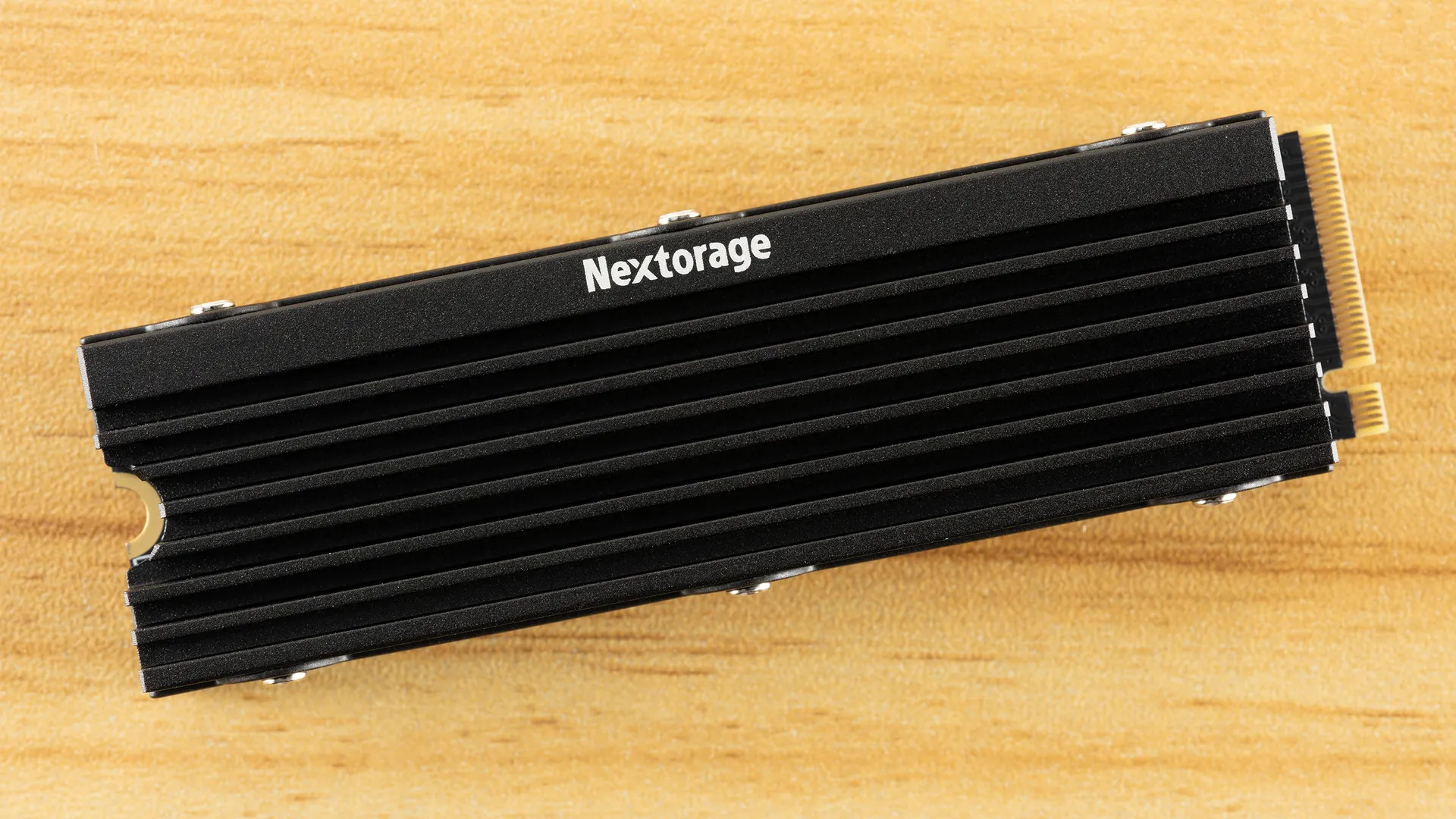
The NEM-PAC is designed for the PS5 with a perfectly compliant heatsink. It comes as no surprise that it performs excellently in the console. This drive will give you near-peak performance.
Transfer Rates — DiskBench
We use the DiskBench storage benchmarking tool to test file transfer performance with a custom 50GB dataset. We write 31,227 files of various types, such as pictures, PDFs, and videos, to the test drive, then make a copy of that data to a new folder, and follow up with a reading test of a newly-written 6.5GB zip file. This is a real-world type workload that fits into the cache of most drives.


If you have more than one drive, then it can be beneficial to look at read and write transfer rates. The copy transfer rate is mixed, although that is a workload you might do if you have a single drive. The NEM-PAC has no issues with the former two – it has a high read transfer rate and very high write transfer rate – but lags behind on the last. There are many possible reasons for this, including how the controller handles this type of workload with its internal optimizations, but the good news is that the drive is still quite fast. It surpasses the NV3 pretty easily and won’t feel slow against most PCIe 4.0 drives.
Synthetic Testing — ATTO / CrystalDiskMark
ATTO and CrystalDiskMark (CDM) are free and easy-to-use storage benchmarking tools that SSD vendors commonly use to assign performance specifications to their products. Both of these tools give us insight into how each device handles different file sizes and at different queue depths for both sequential and random workloads.


View Original

View Original

View Original

View Original

View Original

View Original

View Original

View Original

View Original

View Original

View Original

View Original

View Original

View Original

ATTO is a good way to see a high-level view of how a drive performs across a variety of block sizes at QD1. Most consumer workloads – the things you do every day – are at lower QD with QD1 being the most common. Drives aren’t always optimized for QD1, which would include many enterprise drives, for example, as that’s not always the best optimization. In our experience, it does map to the user experience for consumer drives, but we’ve also found that ATTO only paints a general picture of a drive’s performance. We can see the NEM-PAC lags here, and that’s expected for this SMI controller, but does that really translate to issues at 4KiB and 1MiB? Those are the two most common block sizes tested.
That’s where CrystalDiskMark comes into play. QD1 sequential reads and writes are pretty average. The NEM-PAC needs some queue depth to run with the top drives. This matches our expectations from the ATTO results and does mean the drive has some weakness here. This isn’t surprising because, even though the SM2268XT2 controller is technically comparable to anything else out there, it’s most often used for budget drives. There are a number of reasons why the controller might be optimized this way, but ultimately it’s architectural and, potentially, a side effect of the effort to save on cost. This doesn’t mean the design is inferior, just different. It ends up being a fine trade-off as the sub-44µs 4KB QD1 random read latency is very competitive. So, some file transfers might not feel as perky, but your day-to-day responsiveness should be excellent.
Sustained Write Performance and Cache Recovery
Official write specifications are only part of the performance picture. Most SSDs implement a write cache, which is a fast area of pseudo-SLC (single-bit) programmed flash that absorbs incoming data. Sustained write speeds can suffer tremendously once the workload spills outside of the cache and into the "native" TLC (three-bit) or QLC (four-bit) flash. Performance can suffer even more if the drive is forced to fold, the process of migrating data out of the cache to free up space for further incoming data.
We use Iometer to hammer the SSD with sequential writes for 15 minutes to measure both the size of the write cache and performance after the cache is saturated. We also monitor cache recovery via multiple idle rounds. This process shows the performance of the drive in various states, including the steady-state write performance.


An SSD’s first, fastest mode lies in leveraging the pSLC cache. This cache is temporary and trades off space for speed. The NEM-PAC hits over 6.43 GB/s in this mode, able to hold this speed for over 95 seconds. We get a cache in the 610-615GB range. This is a very large cache, but not the largest it could be – 2TB of 3-bit TLC flash can have a cache up to at least 700GB. This bit of wiggle room on the NEM-PAC means it can degrade to a somewhat swift direct-to-TLC write mode at ~845 MB/s. This isn’t super fast, and for a four-channel drive, this is about half of what you could get with a good PCIe 3.0 drive. That’s almost a compliment because, frankly, the best PCIe 3.0 drives had DRAM, eight channels, and much smaller caches. The comparison just helps put things into perspective – this drive has twice the bandwidth potential and much better latency and, with half the channels, better power efficiency, all without compromising on sustained performance over the last generation.
Eventually, the drive will have no more runway and will be forced to start copying data over from the cache before it can handle incoming data. This “folding” mode is much slower than the others and will impact the user experience. For writes, performance breaks down to an average of 552 MB/s. This beats QLC-based drives and SATA SSDs, but is not fast compared to much of the competition. We think this is perfectly fine for a gaming drive or a primary drive used in typical machines. It’s not ideal for NAS work or some enthusiast content creator builds, though.
Power Consumption and Temperature
We use the Quarch HD Programmable Power Module to gain a deeper understanding of power characteristics. Idle power consumption is an important aspect to consider, especially if you're looking for a laptop upgrade, as even the best ultrabooks can have mediocre stock storage in terms of capacity and performance. Desktops are often more performance-oriented with less support for power-saving features, so we show the worst-case scenario for idle.
Some SSDs can consume watts of power at idle while better-suited ones sip just milliwatts. Average workload power consumption and max consumption are two other aspects of power consumption, but performance-per-watt, or efficiency, is more important. A drive might consume more power during any given workload, but accomplishing a task faster allows the drive to drop into an idle state more quickly, ultimately saving energy.
For temperature recording, we currently poll the drive’s primary composite sensor during testing with a ~22°C ambient. Our testing is rigorous enough to heat the drive to a realistic ceiling temperature, but real-world temperatures will vary due to the environment and workload factors.


View Original

View Original

View Original

View Original

We have to say, the NEM-PAC’s power efficiency leaves something to be desired. It really should be closer to the NV3 in this test, which would put it right up with the full competition. Its idle power draw is right in line with the NV3, but the average and max power draw specs are surprisingly high. The P310 is close to it for those two metrics, but has higher efficiency, which suggests the NEM-PAC’s problem may be related to copy performance. Why would the drive hurt more than the NV3 here?
Given the drive’s higher TBW, we wouldn’t be surprised if Nextorage was being a bit on the cautious side. The reality is, most users don’t need crazy levels of performance for 99% of what they do. If you can protect the hardware at a small cost, it’s often a worthwhile trade-off. This translates to lower power efficiency in how we test, but it’s clear from the idle power consumption results that the NEM-PAC isn’t cutting corners. Our guess is that this is a deliberate firmware decision to improve longevity.
Our temperature results support this. The drive ends up with about 30C of headroom in our testing, which is massive. The drive runs exceptionally cool with its heatsink. Yeah, the drive pulls plenty of power, but it’s well-handled, which must be a conscious design decision. In our opinion, this indicates that the NEM-PAC is optimized for reliability. This makes perfect sense for a drive of this caliber, especially as performance as a whole isn’t bad. If the hardware is variable and could change over time, this is also a good way to ensure better consistency.
Test Bench and Testing Notes
CPU |
|
Motherboard |
|
Memory |
|
Graphics |
Intel Iris Xe UHD Graphics 770 |
CPU Cooling |
|
Case |
|
Power Supply |
|
OS Storage |
|
Operating System |
We use an Alder Lake platform with most background applications, such as indexing, Windows updates, and anti-virus, disabled in the OS to reduce run-to-run variability. Each SSD is prefilled to 50% capacity and tested as a secondary device. Unless noted, we use active cooling for all SSDs.
Nextorage NEM-PAC Bottom Line
The Nextorage NEM-PAC is one of those drives that might go unnoticed, even though it does everything right that matters. The name is more well-known these days, sure, but buyers are often after either the big names or any name as the budget fits. This outcome makes sense since, really, Nextorage is a premium-like brand that is also grappling with the realities of the NAND flash and SSD markets. Despite its branding, it’s competing with the budget-minded Kingston NV3 at the same time. It also has powerful rivals like the MP44 that, at least with its launch hardware, offered a comparable experience with low pricing. Nextorage tries to stand out in a few ways.
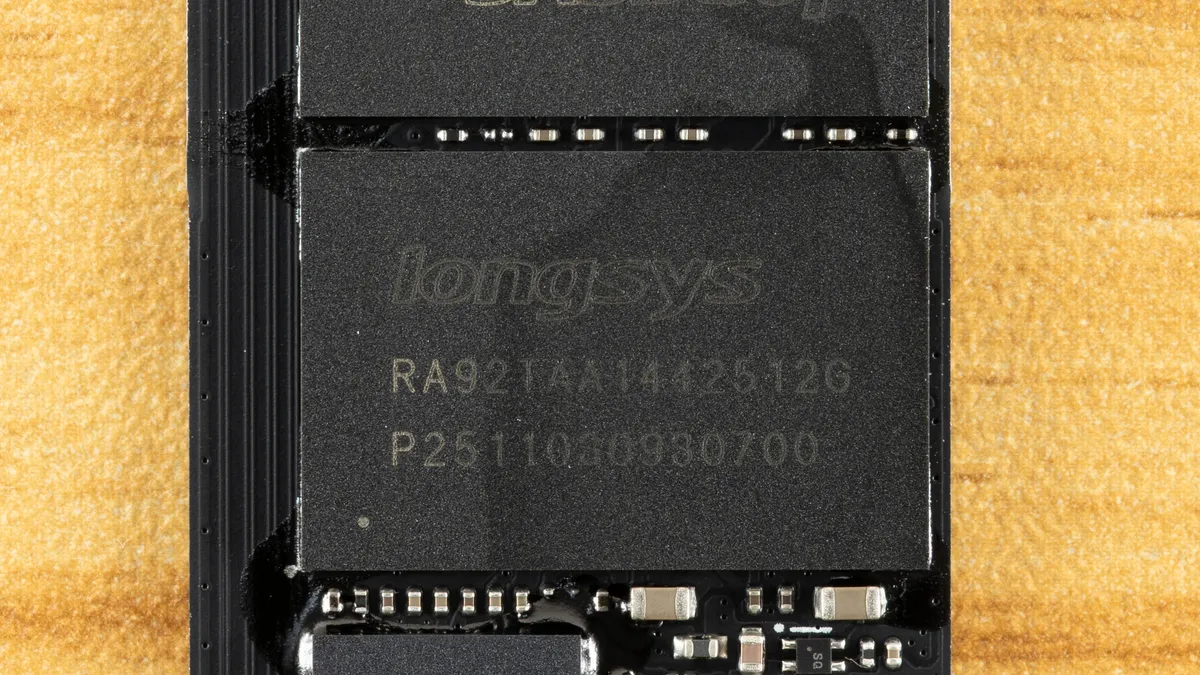
The first is that it comes with a PS5-compliant heatsink. This is great for desktops and the console, and can often be removed for laptops. This is a common direction for drives to go – see the Addlink A93 – but Nextorage, in particular, has its roots with Sony’s console. A drive like this is another accessory that’s all but needed, and that’s often an easy sell. The NEM-PAC hits that note, but that’s not the end of the story. Nextorage also has higher TBW ratings on this drive and has hardware that doesn’t match our original expectations. This is a clear pivot towards handling the challenging SSD market, but we also think, given some of the performance results as well, that the company is leaning away from the ultra-budget NV3-like approach that, quite honestly, works well if you want a cheap PS5 drive. Rather, this is a solid desktop drive in its own right, and we think that was the intention.
Speaking of performance, the drive performs well where it matters, even when it’s not the fastest. It’ll provide a good experience no matter how you handle it. It’s not the most power-efficient drive, and it’s not the fastest for transfers, but if this is one of the least expensive options in its class – and the price at the time of review is reasonable – then it is a solid all-around pick. We are admittedly a bit more open to drives given current market conditions, but even in a normal environment, this drive would be a safe choice. It’s worth adding it to your list if you’re waiting on the right sale.
MORE: Best SSDs
MORE: Best External SSDs
MORE: Best SSD for the Steam Deck
- 1
- 2
Current page: Nextorage NEM-PAC 2TB Performance Results
Prev Page Nextorage NEM-PAC Introduction
Shane Downing is a Contributing Writer for Tom’s Hardware, covering consumer storage, PC hardware, and AI.