









Final Fantasy XV: Performance Analysis With 10 GPUs
How We Tested Final Fantasy XV
Test Configuration
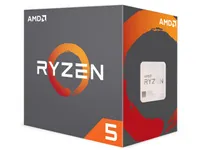
AMD Ryzen 5 1600X
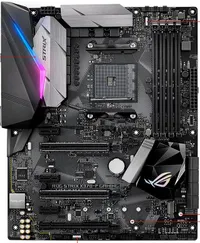
Asus ROG Strix X370-F Gaming
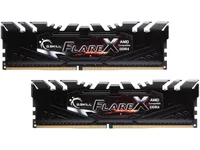
G.Skill Flare X (2x 8GB)
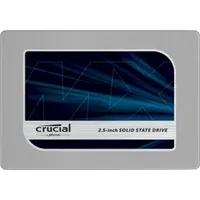
Crucial MX200 (500GB)

be quiet! Dark Power Pro 11 750W
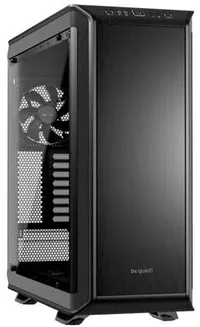
Be quiet! Dark Base Pro 900

Thermal Grizzly Hydronaut
| OS | |
| Operating System | Windows 10 x64 Pro 1709 (16299.125) |
| Graphics Drivers | The game was tested using the latest public drivers available at the time we ran our benchmarks:Nvidia GeForce Game Ready 391.01AMD Radeon Adrenalin Edition 18.3.1 |
| Game | The most up-to-date version of the game was tested at the time we ran our benchmarks:Final Fantasy XV 1.0.0.0 |

We recently updated our test configuration to better reflect mid-range gaming in 2018. This time around, we picked an AMD Ryzen-based platform, honing in specifically on the 1600X as a great option for enthusiasts looking to save some money.
Steam's survey of hardware and software configurations offers us a view of the most prevalent components and settings (the data comes from February 2018):
- 8GB of RAM are found in 45% of gaming PCs. Our system has 16GB, similar to almost 40% of surveyed gamers.
- Full HD resolution is used by 76% of gamers, while 8% are still running at 1366x768. QHD is used by only 3.4% of gamers, and 4K remains anecdotal. With the game developer's recommendations in mind, we will test exclusively at 1920x1080.
- Quad-core CPUs are installed in more than two-thirds of surveyed systems (72% to be exact). In anticipation of the coming months, we're using a mid-range six-core processor.
Graphics Card Selection
We chose 10 graphics cards for this test, representing mainly entry-level and mainstream options. Here are the competing cards:
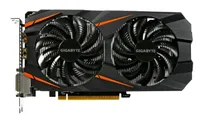
Gigabyte GeForce GTX 1060 WF2OC-3GD 3GB
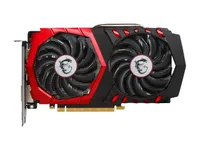
MSI GeForce GTX 1050 Ti 4GB
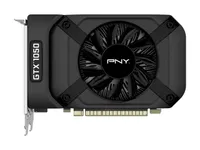
PNY GeForce GTX 1050 2GB
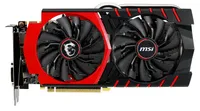
MSI GTX 970 Gaming 4G
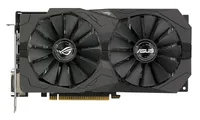
Asus RX 570 Strix OC 4G
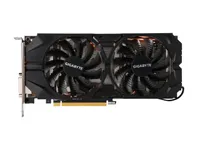
XFX Radeon R9 390 8G

Test Procedure
All performance data is collected using the PresentMon tool and our own custom front-end.
In order to accurately represent performance, each graphics card is warmed up to a stable temperature before measurements are collected. Most newer GPUs employ mechanisms to optimize clock rates based on variables like power and temperature. So, tests run during the warm-up period would convey better performance than you'd see in the real world. We therefore execute the benchmark sequence once to warm up the card prior to gathering official data. For graphics settings, we tested the game at Full HD resolution, with two different graphics presets (Medium and High).

MORE: Project CARS 2 Performance Review
MORE: Star Wars Battlefront II Performance Review
Get Tom's Hardware's best news and in-depth reviews, straight to your inbox.
MORE: Wolfenstein II Performance Review

Final Fantasy XV Windows Edition
Current page: How We Tested Final Fantasy XV
Prev Page The Game, Graphics Engine & Settings Next Page Graphics & Rendering Settings-
redgarl We finally see what is going to happen with AMD graphic strategy by focusing on consoles. In the long term, this is going to be good for them.Reply -
Diji1 Yes, it's always tomorrow with the AMD crowd, it's going to run Directx 12 faster next year etc.Reply -
aquielisunari Far Cry 5 or FFXV? I easily pick Far Cry 5.Reply
The bench isn't indicative of real world behavior? It's a FFXV trailer with a score. Who's line is it anyways... Look at us!!!!? Harvesting? Fortunately through Steam we can return most any game that we have played for less than 2 hours and within a certain window from the purchase date.
Thanks for the real test Tom's. -
germz1986 Where are the high resolution 1440 & 2160 benchmarks? Where are the higher tier graphics cards at?Reply -
redgarl Reply20810229 said:Yes, it's always tomorrow with the AMD crowd, it's going to run Directx 12 faster next year etc.
Well, AMD cards are better at DX12 than Nvidia cards. Hardwarecanucks made that analysis a long time ago.
However this is not really important here. The Xbox One X is hosting something similar to a RX 580. Of course if games are developed with the chip in mind, the port is going to swing on AMD side.
There is a couple of game that I would love to have result with. Ports from the consoles like Tecmo games, Capcom games, Square Enix games, Konami games, Platinum games... basically the japanese devs.
-
aquielisunari Reply20810453 said:Where are the high resolution 1440 & 2160 benchmarks? Where are the higher tier graphics cards at?
The higher tier GFX cards are there but aside from that I agree the test wasn't thorough.
I was averaging around 90FPS at 1080p because of my 4690K at 100%.
At 3840 x 2160 I was averaging around 50FPS. Looks like 1440p will be best for my setup.
-
logainofhades Sounds like even my 980ti will not max this game out, especially since I now game at 1440p.Reply -
jimmysmitty Reply20810565 said:20810229 said:Yes, it's always tomorrow with the AMD crowd, it's going to run Directx 12 faster next year etc.
Well, AMD cards are better at DX12 than Nvidia cards. Hardwarecanucks made that analysis a long time ago.
However this is not really important here. The Xbox One X is hosting something similar to a RX 580. Of course if games are developed with the chip in mind, the port is going to swing on AMD side.
There is a couple of game that I would love to have result with. Ports from the consoles like Tecmo games, Capcom games, Square Enix games, Konami games, Platinum games... basically the japanese devs.
It has yet to show this though. Not one game ported from consoles has shown any advantage to AMD at all and they wont because there is still differences in the hardware and the API and how it calls to it compared to PCs even with DX12/Vulkan.
The only advantage is porting has become easier since x86-64 is the same base and the Xbox now uses a similar Windows 10 kernel, although modified for the Xbox.
They still need to recode for PCs and their drivers/OS kernel. Then they need to optimize for both sides.
Unlike most I am not surprised the game features NVidia tech when it was a console game first. That fact means nothing and NVidia is known to work more with developers than AMD does. Might change but NVidia does push that a lot.
20810932 said:Sounds like even my 980ti will not max this game out, especially since I now game at 1440p.
It would be close but the 6GB of VRAM will limit it. My 1080 is playing it nicely on highest, no AA, at 1080 and I am more than happy. I am just glad they included the soundtracks to all the old games for the car rides. -
Zaporro Why no 1440p with GTX1080ti??Reply
Why everyone is forcing 4k on GTX1080ti if its obviously not ready for it yet? -
Ionlydothis AMD's focus on consoles? Hardly a focus, more like desperate plea for money. They cut ridiculous deals for those consoles. Meanwhile, Nvidia leapfrogged AMD with the switch and it's a now relatively ancient chipset. Just wait until they put more money into developing Tegra now that it has a much bigger market than just set-top boxes and tablets.Reply
Meanwhile, AMD remains good at begging for deals, offering razor thin profit margins to keep their heads up while they offer nothing compelling and their "gamble" in the APU market has remained laughable.
I really wish AMD was competitive again and that I could count on them to keep it together to really hammer Intel after Ryzen and provide real competition in the graphics market.
But alas...Not going to happen.