









Why you can trust Tom's Hardware Our expert reviewers spend hours testing and comparing products and services so you can choose the best for you. Find out more about how we test.
Sapphire Radeon RX 7900 GRE Pulse



View Original

View Original

View Original

View Original

View Original

View Original

View Original

View Original

View Original

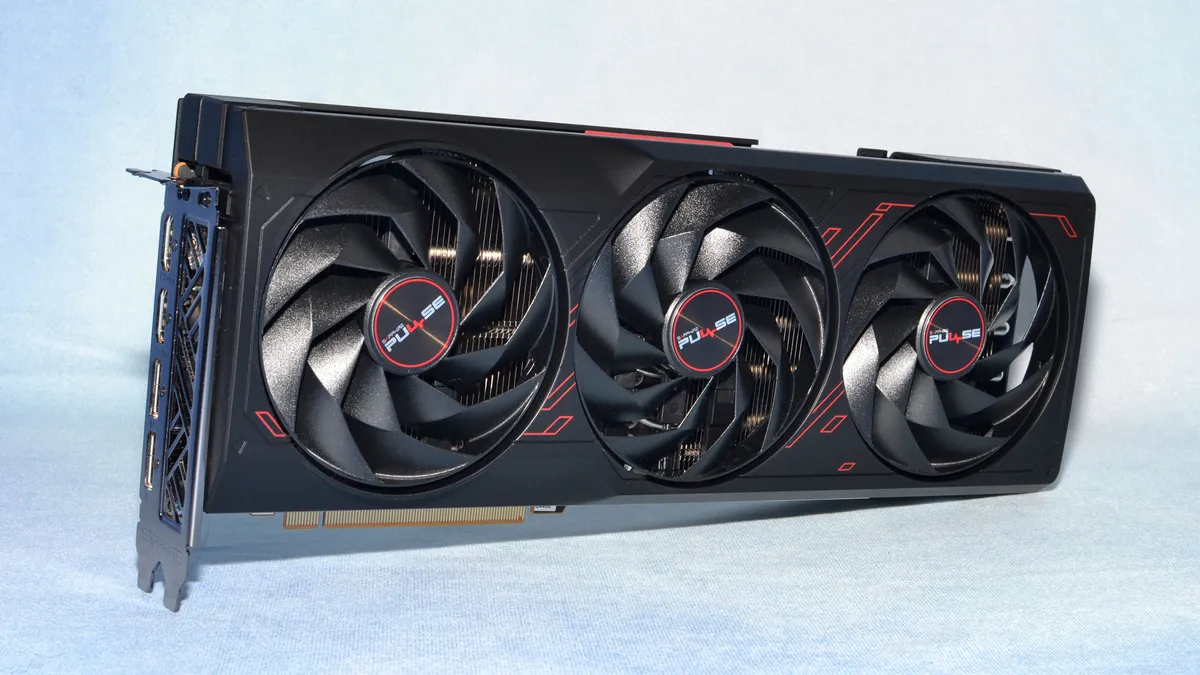
The AMD RX 7900 GRE cards all come via third-party add-in board (AIB) partners. AMD sent us a Sapphire Pulse model for our initial review, which has a $549 MSRP. Sapphire also makes a 7900 GRE Pure priced at $579 and a 7900 GRE Nitro+ that costs $599, with RGB lighting and a modest factory overclock in both cases, plus a few other extras.
The Sapphire 7900 GRE Pulse represents the reference models, then, and most other $549 priced cards should perform similarly — though cooling and noise levels can still vary quite a bit. This is a 321x127x51 mm card, with a 2.5-slot width. It weighs 1100g (2.425 lbs), so its reasonably sized compared to contemporary triple-fan alternatives.
As with other Sapphire 7000-series GPUs that we've looked at, the fans are equipped with Sapphire's newer 'angular velocity' fan blades and tare 95mm in diameter. We've found these fans to be very good at producing plenty of airflow without making a lot of noise and expect good results from this card as well.
Nearly every current AMD GPU from the RX 7700 XT through the RX 7900 XTX that we've tested in the past year or so comes with dual 8-pin power connectors — or triple connectors like on the RX 7900 XTX Nitro+ Vapor-X. A single 8-pin paired with a 6-pin connector should also be possible, but these days it's simply easier to use 8-pin connectors everywhere. Or at least, that's our assumption. The two connectors can provide up to 300W of power, meaning the PCIe slot shouldn't have to help out much.


View Original

View Original

View Original

View Original

View Original

Sapphire Pulse brand is their baseline offering, so it doesn't come with a lot of extras. The 7900 GRE Pulse doesn't have any RGB lighting — a plus for some, a con for others — nor does it offer a dual-BIOS switch. The higher tier Pure and Nitro+ brands deliver those extras, if you're interested, and also come with a modest factory overclock.
As we saw with the Sapphire RX 7600 XT, Sapphire includes dual HDMI 2.1 ports and dual DisplayPort 2.1 54Gbps ports. For the many users who will only connect one or two monitors, we like this arrangement since you can use two of the same port type. It shouldn't matter too much, and you can still run up to four monitors off the card should you choose — and assuming you have the desk or wall space.
The only 'extra' you get with the 7900 GRE Pulse is a support bracket. This isn't one of the truly chunky cards that we've seen, but it still weighs enough that having additional support for the back of the card (i.e. the opposite end from the video ports) isn't a bad idea. Sapphire's support bracket is a bit clunkier to install compared to a kickstand, but at the same time it screws into the case and thus won't slide around if you move your PC.
AMD Radeon RX 7900 GRE Test Setup
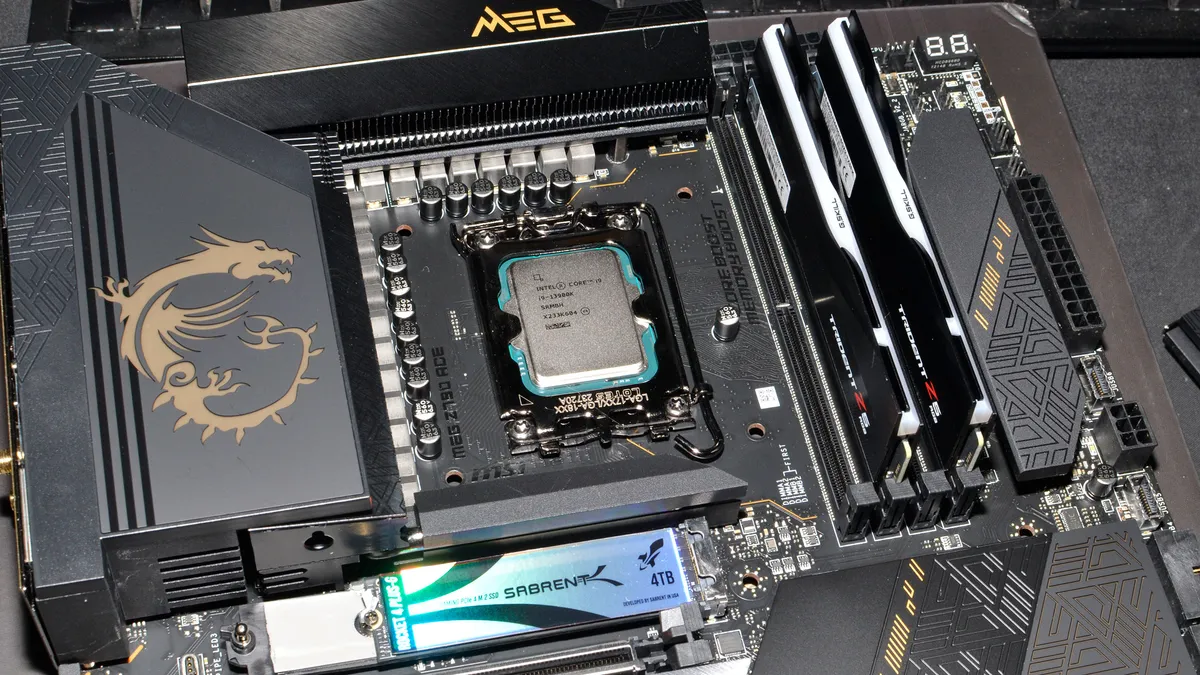
Our current graphics card testbed has been in use for over a year now, and so far we haven't seen any pressing need to upgrade. The Core i9-13900K is still holding its own, and while the i9-14900K or Ryzen 9 7950X3D can improve performance slightly, at higher resolutions and settings we're still almost entirely GPU limited — though perhaps not when the future RTX 50-series and RX 8000-series arrive. We also conduct professional and AI benchmarks on our Core i9-12900K PC, which is also used for our GPU benchmarks hierarchy.

TOM'S HARDWARE Gaming PC
Intel Core i9-13900K
MSI MEG Z790 Ace DDR5
G.Skill Trident Z5 2x16GB DDR5-6600 CL34
Sabrent Rocket 4 Plus-G 4TB
be quiet! 1500W Dark Power Pro 12
Cooler Master PL360 Flux
Windows 11 Pro 64-bit
TOM'S HARDWARE 2022 AI/ProViz PC
Intel Core i9-12900K
MSI Pro Z690-A WiFi DDR4
Corsair 2x16GB DDR4-3600 CL16
Crucial P5 Plus 2TB
Cooler Master MWE 1250 V2 Gold
Corsair H150i Elite Capellix
Cooler Master HAF500
Windows 11 Pro 64-bit
GRAPHICS CARDS
AMD RX 7900 XTX
AMD RX 7900 XT
AMD RX 7900 GRE
AMD RX 7800 XT
AMD RX 7700 XT
Nvidia RTX 4080 Super
Nvidia RTX 4070 Ti Super
Nvidia RTX 4070 Super
Nvidia RTX 4070
Nvidia RTX 4060 Ti 16GB
Note that, due to the 13900K crashing issues — which were affecting certain games until I changed BIOS settings — we have retested all of the cards for this particular review. We'll be working through other GPUs in the coming weeks as well, and most of the changes aren't too significant, but if you compare numbers with previous reviews you may see a few differences.
We're using 24.2.1 preview drivers from AMD for this review, on all of the included cards. The public version of the driver we're using should go live on AMD today. As for Nvidia GPUs, we're running the 551-series drivers — we started with 521.23, then the 4080 Super was tested with the 531.31 launch drivers, and now we've shifted to the 551.61 drivers that came out last week.
Our current test suite consists of 15 primary games. Of these, nine support DirectX Raytracing (DXR), but we only enable the DXR features in six games. The remaining nine games are tested in pure rasterization mode. We also have four newer 'bonus' titles that aren't included in the main charts, two of which use DXR and two of which are rasterization games. While many games in our test suite support upscaling, we're mostly skipping that due to time constraints, though we will enable FSR2/3 or DLSS Quality mode upscaling in two of the bonus games.
We test at 1080p (medium and ultra), 1440p ultra, and 4K ultra for most of our reviews — ultra being the highest supported preset if there is one, and in some cases maxing out all the other settings for good measure (except for MSAA or super sampling). The RX 7900 GRE straddles the line between the 7900 XT and the 7800 XT, which means it can usually run 4K at acceptable levels, particularly with upscaling. However, the most demanding games may require either lowering the resolution, or higher levels of upscaling — or both, if the game has path tracing.
Our PC is hooked up to a Samsung Odyssey Neo G8 32, one of the best gaming monitors around, allowing us to fully experience the higher frame rates that might be available. G-Sync and FreeSync were enabled, as appropriate. As we're not testing with esports games, most of our performance results are nowhere near the 240 Hz limit, or even the 144 Hz limit of our secondary test PC.



View Original

View Original

View Original

View Original

View Original

View Original

View Original

View Original

We've installed Windows 11 22H2 and used InControl to lock our test PC to that major release for the foreseeable future. We've also used Winaero Tweaker to disable Windows Update and some other elements. Basically, we're doing our best to lock down our PC and prevent OS updates, as much as possible.
Our test PC includes Nvidia's PCAT v2 (Power Capture and Analysis Tool) hardware, which means we can grab real power use, GPU clocks, and more during all of our gaming benchmarks. We'll cover those results on our page on power use.
Finally, because GPUs aren't purely for gaming these days, we've run some professional content creation application tests, and we also ran some Stable Diffusion benchmarks to see how AI workloads scale on the various GPUs.
- MORE: Best Graphics Cards
- MORE: GPU Benchmarks and Hierarchy
- MORE: All Graphics Content
Get Tom's Hardware's best news and in-depth reviews, straight to your inbox.
Current page: Sapphire Radeon RX 7900 GRE Pulse and Test Setup
Prev Page AMD Radeon RX 7900 GRE — Sapphire Pulse Next Page AMD RX 7900 GRE: 1440p Gaming Performance
Jarred Walton is a senior editor at Tom's Hardware focusing on everything GPU. He has been working as a tech journalist since 2004, writing for AnandTech, Maximum PC, and PC Gamer. From the first S3 Virge '3D decelerators' to today's GPUs, Jarred keeps up with all the latest graphics trends and is the one to ask about game performance.
-
Notton So it falls directly between a 7800XT and 7900XT, and should have been called the 7900.Reply
It looks really good as a 1440p card.
It's not that interesting, considering it's price tag.
I'll wait to see what the RTX 5000 and RX 8000 series brings to the table, unless my 1070Ti croaks first. -
Giroro I'm surprised they didn't completely rebrand the card for the west. More generally, I'm surprised they're releasing it in the west at all.Reply
10% more performance for 10% more money isn't exciting, it's pointless. If they feel the need to release a minor stop-gap card, then I think they won't be ready to release anything truly exciting anytime soon. Maybe the AI surge has made them go back to the drawing board with RDNA 4.
It's hard to explain, but In my mind, something about calling it "Golden Rabbit" severely devalues it. So I imagine they at least will never spell out that acronym. Gold isn't valuable or aspirational; it's always cheap, fake, and tacky.
Also, I don't associate rabbits with being fast - I associate them with the weak fluffy bunnies that keep tearing up my yard.
Calling it golden means its a knockoff. It makes me think the GPU is actually some ancient Radeon HD 7970 chip that somebody is fraudulently trying to pass off as a counterfeit RX 7900 on Temu for $80 - or that it might have a virus or set my computer on fire.
Maybe I just buy too much counterfeit garbage from overseas. -
UnforcedERROR The conversation at $550 right now is almost specifically 1440p raster, which the 7900 GRE performs handily in. At these prices, 16 GB vs 12 GB for the 4070 is the biggest argument in its favor. Neither card is competent in Ray Tracing at 1440p, and the price-to-performance difference isn't enough to argue much otherwise, so it's mostly about longevity.Reply
As others said, it's not terribly interesting, and it feels like a notably late arrival, but it's something I suppose. I still feel like the $500 - $700 segment of cards is wholly disappointing from both NVidia and AMD. -
ohio_buckeye So it’s basically similar performance to a 6900xt or a 6950xt it sounds like? I’m happy with my 6800xt for now that I got under $450 new. I’ll hold onto that a while.Reply -
AgentBirdnest Hmm... I don't find it particularly exciting, but I don't have anything to complain about either. AMD had to do something to counter Nvidia's 4070 Super (and non-Super price drop), and this does it.Reply
What I'm really excited about, is where the 7800XT goes from here. I don't imagine it's going to stay at $500. If it drops to $450, that would be an extremely compelling option, and probably the best value of this generation.
As always, props to Jarred for the fabulous review! : ) -
thestryker Seems like decent enough perf/$, but doesn't really bring anything new to the table as expected. Not needing a video card has been a great place to be this generation as we're just now seeing some decent values though still limited to >$400.Reply
Per TPU the VRAM is limited to 2316mhz which caps the potential memory bandwidth at ~593 GB/s. The power limits on the card are at least standard so if anyone wants to try their hand at getting higher boost clock it is possible. -
ingtar33 this is basically just going to fill in the hole the 6900xt left in the market when it's stock ran out, they are both priced about the same, both perform about the same.Reply
It's not bad. the performance difference from the 7800xt to the 7900xt was pretty big (as was the $$ difference), this will slide right in between them at the old 6900xt price. It's a solid buy i think. I mean as solid as today's prices get.
everything is still overpriced. -
JarredWaltonGPU Reply
I do wish AMD hadn't lowered the VRAM speed from 20 Gbps. That probably would have given it another ~5% in performance, which would have been good. Right now, it's between the 7800 XT and 7900 XT, but slightly closer to the former. It makes sense from a pricing perspective, but even a few percent more overall performance would have been nice.ingtar33 said:this is basically just going to fill in the hole the 6900xt left in the market when it's stock ran out, they are both priced about the same, both perform about the same.
It's not bad. the performance difference from the 7800xt to the 7900xt was pretty big (as was the $$ difference), this will slide right in between them at the old 6900xt price. It's a solid buy i think. I mean as solid as today's prices get.
everything is still overpriced. -
Alvar "Miles" Udell Like all AMD cards for the last couple of generations, it's good, but it's just priced way too close to nVidia to be a true competitor, and this is no exception. At 2560x1440 and 3840x2160 the 4070 Super was effectively equal in terms of rasterization and superior with ray tracing, and it's only as little as $50 more expensive. How is AMD going to persuade all of the lifelong nVidia users and people like me who have had multiple negative experiences with Radeon cards to jump from Team Green over $50?Reply
And once third party custom models are included that price will exceed the 4070 Super, making the 7900 GRE a non starter. -
ohio_buckeye Reply
The good time to buy will be sales maybe around Black Friday imo. Now granted my 6800xt was last generation when I bought it this past December. On the other hand, $439 was a deal for a card that is essentially equivalent to a 7800xt.Alvar Miles Udell said:Like all AMD cards for the last couple of generations, it's good, but it's just priced way too close to nVidia to be a true competitor, and this is no exception. At 2560x1440 and 3840x2160 the 4070 Super was effectively equal in terms of rasterization and superior with ray tracing, and it's only as little as $50 more expensive. How is AMD going to persuade all of the lifelong nVidia users and people like me who have had multiple negative experiences with Radeon cards to jump from Team Green over $50?
And once third party custom models are included that price will exceed the 4070 Super, making the 7900 GRE a non starter.
As someone above said if they’d put the 7800xt at $450, or even $475 then it goes on sale, that would be a decent price to performance imo.