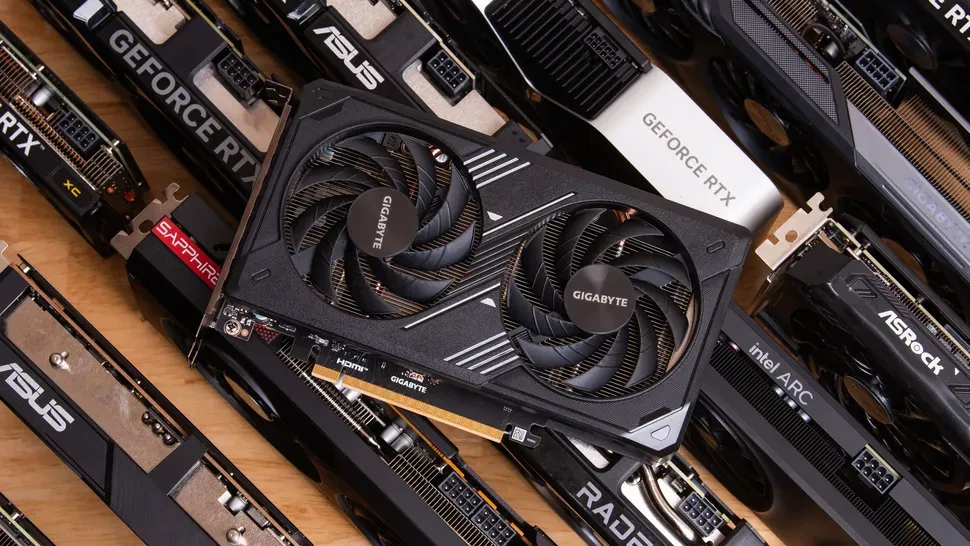
Welcome to Tom's Hardware's picks for the best GPUs for gaming in 2026. It’s been a turbulent few weeks for PC gamers between the absence of fresh gaming GPU launches at CES and unrelenting price hikes on everything that goes into a PC.
We spent most of the fourth quarter of 2025 warning that graphics card prices would increase sharply in 2026 as AI wafer demand crowds out production of gaming GPUs and memory at fabs, and that dreaded moment has arrived with force. The abundance of cards selling near (or even under) MSRP during the 2025 Black Friday season is now a distant memory.
The grim new reality is that recent price increases have made most RTX 50-series cards one performance tier more expensive compared to their original MSRPs. An RTX 5060 Ti 16GB is now selling around the MSRP of the RTX 5070, for example, and an RTX 5070 Ti now goes for about the MSRP of the RTX 5080. That really hurts for value-minded enthusiasts who want 16GB of VRAM to fully exploit DLSS 4 and MFG.
We've updated some of our picks in response to massive price shifts and supply constraints in the current graphics card market. With no new gaming GPUs in the pipeline any time soon, now is as good a time as any to buy a new graphics card before prices get any higher or supply gets any tighter.
Radeons haven’t escaped price hikes, either. The most marked-up RDNA 4 card relative to MSRP is the RX 9060 XT 16GB, which until recently has been our enthusiast value champion. Sure, it remains the cheapest way to get a 16GB graphics card on the market. But the average RX 9060 XT 16GB is about $100 more expensive than it was just a couple months ago, and that really stings.
Meanwhile, the RTX 5070 and RX 9070 are some of the least marked-up cards on the market, and RX 9070 XT prices are about where they were last summer—around $750 or so. All that means enthusiast and high-end gaming experiences aren’t completely out of reach, but it might require a willingness to change loyalties for the best values.
All this sounds grim, but it’s worth putting in context. The pace of price increases for DDR4 and DDR5 SDRAM and SSDs have both far outstripped that of GPUs. Even if you can’t build an all-new system, you can just put a new graphics card in an older PC and still enjoy boosts to gaming performance, image quality, or both—especially if you can upgrade your monitor at the same time. PC gamers have weathered cyclical disruptions to our hobby before, and we can do it again.
All these shifts do mean making general graphics card recommendations is a bit weird right now. If you’re dead set on buying a Blackwell card for access to DLSS 4 and MFG, you’ll just have to look past the price hikes and pay up. Simple as.
But if you’re vendor-agnostic, some interesting price crossover points give you reason to consider Radeons. For example, RTX 5060 Ti 16GBs are so expensive now that you’re just a few bucks away from the much faster RX 9070 or the RTX 5070.
Read on to see our picks in today's gaming graphics card market.
Best graphics cards for gaming, at a glance
Graphics Card | 1080p FPS | 1440p FPS | 4K FPS | Median street price (vs. MSRP) | Avg. Power |
|---|---|---|---|---|---|
119.9 | 98.3 | 61.0 | $769 ($600) | 280W | |
110.4 | 86.9 | 52.9 | $629 ($550) | 220W | |
124.2 | 101.2 | 62.1 | $1069 ($750) | 259W | |
119.0 | 75.0 | 42.8 | $669 ($549) | 250W | |
76.6 | 55.7 | 31.2 | $459 ($349) | 160W | |
67.9 | 43.4 | 18.6 | $369 ($299) | 145W | |
157 | 141.8 | 102 | $3699 ($2,000) | 394W | |
56.9 | 33.5 | 13.9 | $249 ($220) | 136W |
The above list shows all the latest-gen graphics cards we feel stand out in their segments. If you want to see how all of the current and prior generation GPUs stack up, check our GPU benchmarks hierarchy.
When accounting for pricing, we perform our own research to find the midpoint of current prices for a given graphics card, rather than taking a vendor's MSRP at face value. We feel this method tends to be most representative of the price you're likely to see for products in stock.
If you can find a card for less than this midpoint, it's likely closer to (or even less than) a vendor's MSRP and a better value. Conversely, if you find one for more than this midpoint, it could be a worse value (or too close in price to a more powerful card that's a step up).
The overall performance ranking incorporates 21 games from our legacy test suite, which takes the geometric mean (i.e. equal weighting) for both rasterization and ray tracing games. Note that we are not including any upscaling or frame generation results in the table.
Some recommendations have been influenced by work on our updated test suite, which includes several heavier-duty ray-traced games and console ports that really stress every aspect of a graphics card, from compute to RT to memory management.
Raw performance may be the most important consideration for most gamers, but it's not the only metric that matters. Our subjective rankings below factor in price, power usage and power efficiency, and features colored by our own years of experience. Others may offer a slightly different take, but all of the cards on this list are worthy of your consideration.
Upscaling and frame generation
GPU performance goes beyond the hardware these days. Choosing a particular GPU vendor means you're buying into a complex software stack that includes upscaling and frame generation technologies.
In Nvidia's corner, the just-released DLSS 4.5 upscaling model offers superior image fidelity to other upscaling tech, but it's more computationally expensive than past DLSS models and works best on RTX 50-series and 40-series cards.
The DLSS 4 model and its transformer architecture still works with cards going all the way back to the RTX 20-series family. Not all games implement DLSS 4 natively, but Nvidia allows you to force usage of that model in many older titles through the Nvidia App utility so you can get the latest and greatest.
RTX 50-series GPUs are Nvidia's first with support for multi-frame generation (MFG), which allows Blackwell GPUs to insert one, two, or three AI-generated intermediate frames between each native one (for a 2x, 3x, or 4x frame rate boost). In 2026, MFG on RTX 50-series cards will be updated to support 5x and 6x modes, as well as a dynamic mode that can change multipliers to maintain a target frame rate. RTX 40-series GPUs also support framegen, but only with a 2x boost.
Meanwhile, AMD's FSR 4 offers AI-enhanced upscaling, but official support for it is limited to RX 9000-series Radeons. AMD's FSR 3.1 and earlier upscalers still work on any GPU, but the image quality tends to be noticeably lower than both DLSS and FSR 4.
AI-enhanced FSR framegen (aka ML Frame Generation) arrived on AMD cards as part of the FSR Redstone update late last year. Like FSR 4 upscaling, ML Frame Generation is limited to Radeon RX 9000 cards, and it can be enabled in compatible games using a control panel override.
Legacy FSR frame gen remains available, too. Its framerate-doubling boost remains cross-compatible with GPUs from all vendors, but its image quality can't keep up with the AI-powered frame gen tech of the latest AMD and Nvidia models.
Intel XeSS upscaling can be superior to FSR 3.x, but isn't used in as many games as FSR or DLSS. It works best on Arc GPUs, but like FSR, it's cross-compatible with a wide range of graphics cards from AMD and Nvidia if you need it.
XeSS 2 with AI-enhanced frame generation is only in a handful of games and requires an Arc GPU. XeSS 3 brings multi frame generation to the party in 2026, but until more games adopt XeSS in general, the value of this feature will be limited.
1. Best all-around enthusiast graphics card: Radeon RX 9070 XT, $769.99

The Radeon RX 9070 XT is AMD's most well-rounded graphics card in years. It delivers raw performance within spitting distance of the GeForce RTX 5070 Ti for far, far less money as of February 2026. What's not to love?
AMD shored up two of its greatest weaknesses against Nvidia in the past with the RX 9070 XT's RDNA 4 architecture: RT performance and AI acceleration, both of which are now much closer to Nvidia's latest and greatest. And AMD did all that while keeping power efficiency right there with Nvidia, too.
The FSR4 upscaler is a big jump in image quality over FSR 3, and as it rolls out to more and more games, the RX 9070 XT's star will only grow brighter. FSR ML Frame Generation now offers higher-quality framegen on the RX 9070 XT, although it's still limited to a simple doubling of frame rates versus DLSS Multi Frame Generation's versatility.
Whether you're gaming at 1080p, 1440p, or 4K, the 9070 XT has the power and generous VRAM pool to get you there, all for a fairly reasonable price in today's weird world of graphics.
RTX 5070 Ti cards generally sell for a whopping $300 more than RX 9070 XTs right now, and if you value the image quality and performance benefits of DLSS 4 and MFG along with Nvidia's generally more polished software and support, you're going to have to think long and hard about that big step up.
Especially in the current AI crunch, the RX 9070 XT offers the best balance of price, performance, and efficiency for enthusiasts who don't have unlimited budgets.
Read: AMD Radeon RX 9070 XT review
2. Best midrange graphics card: Radeon RX 9070, $629.99

If you're shopping in the sweet spot of enthusiast gaming, we think the Radeon RX 9070 remains the card to get right now. It's one of the least marked-up 16GB graphics cards available even with today's AI headwinds, and in a world where MSRPs are largely forgotten, that makes the RX 9070 an outstanding value.
The GeForce RTX 5070 and RX 9070 go neck-and-neck in our test suite, but the RX 9070 has 16GB of VRAM and the RTX 5070 has just 12GB. That extra 4GB of memory can make all the difference at the highest resolutions in today's hottest games, and when you're spending this much money on a powerful GPU, we don't think you should have to worry about running out of VRAM.
In our recent testing of RTX 50-series cards, loading up RT and DLSS and framegen, as Nvidia pushes as the future of gaming, can really put pressure on VRAM in some of today's most demanding titles. DLSS MFG just doesn't work if its model can't fit in VRAM, for example. As a result, you may sometimes have to pick and choose which of those features you want to enable on the RTX 5070.
All of that means the RTX 5070 is great most of the time across our evolving game test suite, but the RX 9070 is great all of the time, and it's cheaper than the 5070 on store shelves right now.
The RX 9070 also benefits from not being pushed to the very edge of its voltage-and-frequency curve to hit the highest possible performance levels, as the RX 9070 XT is, so it's also among the most efficient graphics cards available today if performance-per-watt is a concern for you.
If you're not gaming at 4K with all the RT and DLSS bells and whistles turned up, the RTX 5070 is still a great graphics card, and the image quality and smoothness benefits of DLSS 4 can't be dismissed. Even so, we've seen VRAM-related performance drops with the 5070 too many times in our test suite for us to generally recommend it.
Read: AMD Radeon RX 9070 review
3. Best enthusiast GeForce RTX Blackwell card: GeForce RTX 5070 Ti, $1069.99

If you want the best blend of high performance and cutting-edge graphics tech out there for 1440p or 4K gaming, the GeForce RTX 5070 Ti is it. This card comes with full support for Nvidia’s latest DLSS 4 upscaling and Multi-Frame Generation, and its 16GB of VRAM gives you full freedom to enable every DLSS 4 feature.
AMD’s closest competitor, the Radeon RX 9070 XT, is way cheaper than the RTX 5070 Ti right now, but the AMD card obviously doesn’t support DLSS 4 or MFG. For the privilege of those capabilities, you'll generally need to spend a whopping 39% more money right now for just 5% more baseline performance than AMD’s best before you start enabling all the DLSS 4 features Blackwell supports.
Is that worth it? Even with DLSS 4's benefits, we'd have to think long and hard about it at this card's current price. But there isn't new GeForce hardware coming any time soon, so if you need this level of performance and haven't yet upgraded to Blackwell in the year since its launch, well, the price is what it is. (Don't say we didn't warn you.)
We're personally fans of MFG when it's implemented well, and DLSS upscaling is still slightly superior to and much more widely adopted than FSR 4. Our expanded RT test suite also shows that Blackwell can keep an edge in performance and smoothness over RDNA 4 when the rays start flying, so there are still arguments for choosing an RTX 5070 Ti over the Radeon RX 9070 XT.
But man, that price tag.
What about the RTX 5080? Nvidia's second-fastest Blackwell card is anywhere from 8% to 16% faster than the 5070 Ti, with the biggest gap at 4K. Prices for the 5080 in February 2026 have spiked back to insane levels, however, and at the midpoint of current prices, the 5080 is 40% more expensive than the 5070 Ti. There's no way the RTX 5080 offers anywhere close to enough value for the money to justify the step up right now.
Read: Nvidia GeForce RTX 5070 Ti review
4. Best midrange Blackwell card: GeForce RTX 5070, $669.99

The GeForce RTX 5060 Ti 16GB has been our midrange Blackwell gaming favorite in this guide for many months, thanks to its unbeatable combo of high performance, power efficiency, and VRAM capacity.
The problem as of February 2026 is that the AI crunch has sent prices for RTX 5060 Ti 16GBs through the roof, thanks in part to that same generous memory capacity. Pairing lots of costly GDDR7 with a relatively low-priced product like the 5060 Ti makes it highly vulnerable to both supply cuts and price increases, and that's exactly what we're seeing in the market right now.
The $579 midpoint of current pricing puts the 5060 Ti 16GB's on-shelf price above that of the RTX 5070's $549 MSRP, and the 5070 is one of the least marked-up graphics cards out there at the moment.
As a result, it's possible to find RTX 5070s for less than $100 more than 5060 Ti 16GBs, and when things are that close, you really, really have to ask whether you're going to use all 16GB of RAM on the 5060 Ti (for AI tasks, perhaps) or whether you'd rather have vastly better gaming performance with a slightly constrained VRAM pool.
The RTX 5070 is an incredible 40% faster than the RTX 5060 Ti 16GB in games where VRAM isn't a constraint, and that's a huge leap that you'll easily see on the right monitor for just 15% more money or so than the 5060 Ti. Since this is our list of the best graphics cards for gaming, we think it's an easy choice to save up a few more bucks and take the step up.
In an ideal world, the RTX 5070 would have more VRAM to allow for unhindered exploration of everything DLSS 4 and MFG have to offer, especially for 4K gaming. If you're pushing those limits, we'd still recommend the Radeon RX 9070 thanks to its 16GB of VRAM and recent FSR 4 upscaling and frame gen improvements.
But if you're on a 1440p monitor where VRAM is less of an issue and still want DLSS 4 over FSR 4, the RTX 5070 is still a strong performer, and you're less likely to run into its limits.
Read: Nvidia GeForce RTX 5070 review
5. Best enthusiast value graphics card: Radeon RX 9060 XT 16GB, $469.99

AMD's Radeon RX 9060 XT 16GB can handle basically anything the mainstream gamer can throw at it at 1920x1080 and 2560x1440, all at a price that comes in way under the sky-high markups on the RTX 5060 Ti 16GB as of this writing.
At a midpoint of $459.99 in February 2026, prices for the RX 9060 XT 16GB are the highest we've ever seen, dulling the 9060 XT 16GB's reputation as the value-minded builder's GPU of choice. But with no cheaper Radeons worth recommending in the lineup, what can you do?
In any case, the RX 9060 XT enjoys the much-improved ray-tracing and AI performance of the RDNA 4 architecture, both of which bring Radeons a lot closer to the latest Nvidia competition. And its 16GB of VRAM gives mainstream gamers the assurance they'll basically never find VRAM a bottleneck in modern games at 1080p and 1440p resolutions.
Like the RX 9070 XT, the 9060 XT 16GB gives you access to AMD's much-improved FSR 4 upscaling tech, allowing you to boost performance with a small hit to image quality in the small but growing list of titles that support it.
Even with its new ML-powered model, FSR Frame Generation remains limited to a doubling of output frame rate at best, so it’s not a direct competitor to Nvidia’s DLSS 4 with MFG.
The RTX 5060 Ti 8GB is the RX 9060 XT 16GB's closest Nvidia competition, dollar for dollar, but we can’t recommend it at all. If you're spending over $350 on a GPU, we don't think you should have to fine-tune every setting to avoid running out of VRAM. The RX 9060 XT is easy to live with for a wide range of gamers in a wide range of titles, and that’s why it won our Editor’s Choice award.
Read: AMD Radeon RX 9060 XT 16GB review
6. The best graphics card for 1080p gaming: Nvidia GeForce RTX 5060, $369.99

If you want to get your game on at 1080p, we think the RTX 5060 is your best bet. The midpoint of RTX 5060 prices is around $370 right now thanks to the AI crunch, but you can still find them for as little as $350, and that's what we'd look for if you're shopping at this end of the market.
The RTX 5060 has impressive baseline performance for 1080p gaming in wildly popular titles like Fortnite, Counter-Strike 2, Marvel Rivals, and Apex Legends that aren't hungry for giant pools of VRAM, and access to the performance and image quality of the DLSS 4 upscaler is a big win in this segment.
If you can tune your settings right, enabling DLSS 4 Multi-Frame Generation could make for an even smoother ride on this card, but we find that 8GB of VRAM isn't enough to consistently enable framegen in the titles where you'd really want it. The feature often doesn't work if you're already at the limits of the RTX 5060's memory pool (or that of any 8GB Blackwell card), since the MFG AI model needs some VRAM of its own to run.
AMD's toughest competition for the RTX 5060 is the RX 9060 XT 8GB, which also lists for $299 but is now selling for about the same $359 as you'll see RTX 5060s going for. Despite its much-maligned 8GB of VRAM, the 9060 XT 8GB put in a strong showing in our RTX 5050 review, but not consistently enough to beat out the RTX 5060 and take home our general recommendation.
When the RX 9060 XT can bring its full compute horsepower to bear in certain games, it can handily outpace the RTX 5060, so it's worth checking out our recent review and seeing whether a game you love benefits from the Radeon's raw muscle. But if you want a more consistently solid gaming experience, we'd still recommend the RTX 5060.
Read: Nvidia GeForce RTX 5060 Ti review
7. The best graphics card, period: GeForce RTX 5090, $3699

There's nothing else like the GeForce RTX 5090. If you want to turn on every bell and whistle in modern games at 4K (or beyond), the RTX 5090's sheer shader and Tensor Core horsepower, along with support for Nvidia's DLSS 4 upscaling and multi-frame generation, lets you tune your gaming experience to perfection even on high-refresh-rate 4K displays.
If you're a hardcore PC gamer who demands only the best, the hair will stand up on the back of your neck when you watch the RTX 5090 breeze through workloads that other graphics cards leak out all their thermal gel about.
Prices for the RTX 5090 have always been elevated, but they're stratospheric in early 2026. Major e-tailers only have a few different models listed, and prices start at $3500 or so and only go up from there. Nvidia's $1999 MSRP is pure imagination in current market conditions.
At those prices, an RTX 5090 is an indulgence of the highest order, but then again, it always has been. Without a compelling AMD alternative even on the horizon, considerations of value don't really apply here. If you truly need (or want) this class of gaming or AI performance, you're going to have to pay up.
This card needs a system with a massive power supply, one of our best gaming CPUs, and a top-shelf monitor to take full advantage of its astounding capabilities, and all those spendy components add up quick. But if you have a big enough bankroll to consider shopping for a graphics card of this caliber, you probably don't need us to tell you all that.
If Nvidia and its industry partners fixed the meltdown-prone ATX12V-2x6 connector, the RTX 5090 would be as close to gaming perfection as any graphics card that's ever been made. Guess that's something to improve on the RTX 6090, if it ever arrives.
Read: Nvidia GeForce RTX 5090 Founders Edition review
8. The cheapest graphics card worth buying: Intel Arc B570, $249.99

If even $300 is too much for a new GPU with a warranty in your parts list, you're hard up for options. Nvidia and AMD have sorely neglected this price point, and the recently launched RTX 5050 didn't change that much.
Arc B-series cards seem to be victims of the recent AI supply crunch. As of this writing, we found just one Arc B570 for $249.99. If you need a cheap, modern graphics card, it's fine. Not great, not terrible.
10 GB of VRAM is handy insurance for the growing list of games that might want more than 8GB at 1920x1080. Stick to high settings, and this card should deliver a solid 60 FPS average or better in many games.
Intel's Xe2 graphics architecture has everything today's games want, including credible RT support, XMX AI accelerators for XeSS upscaling and frame generation, and a modern media engine with high-quality accelerated encoding. Its modest power requirements won't strain a cheap or aged PSU, either.
The B570 is a modern graphics card through and through, just not a particularly powerful one.
In the event that the B570's baseline performance isn't enough, gamers can take advantage of Intel's XeSS upscaling in a broad range of titles to get the most out of this card. Intel's AI-powered upscaler tends to deliver better results than AMD's FSR 3.x and earlier attempts, and it's in enough major games that you might actually see it in settings lists.
Intel has the necessary weapons in its software arsenal to make the B570 an even smoother operator with XeSS 2 and Xe Frame Generation, but adoption remains glacial. XeSS 2 works well in our experience, but it's in just 44 games right now, far behind the hundreds of titles incorporating the latest DLSS and FSR features.
We hope Intel continues to encourage more and more devs to incorporate XeSS going forward, as this card will become a stronger and stronger option with every title that supports it.
Read: Intel Arc B570 review
How we test the best graphics cards
Determining pure graphics card performance is best done by eliminating all other bottlenecks — as much as possible, at least. To that end, our updated 2026 graphics card testbed consists of an AMD Ryzen 7 9800X3D CPU, ASRock X670E Taichi motherboard, 32GB G.Skill DDR5-6000 CL28 memory, Crucial T700 4TB SSD, Corsair HX1500i Platinum PSU, and a Cooler Master 280mm CPU cooler. The newer Ryzen 9 9950X3D might be slightly faster in some cases, but otherwise we've got just about the fastest components available so that our focus can be on the graphics cards.
We test across the three most common gaming resolutions, 1080p, 1440p, and 4K, using 'medium' and 'ultra' settings at 1080p and 'ultra' at 1440p and 4K. Where possible, we use 'reference' cards for all of these tests, like Nvidia's Founders Edition models and AMD's reference designs. Most midrange and lower GPUs don't get reference models, however, and in some cases we only have factory-overclocked cards for testing. We do our best to select cards that are close to the reference specs in such cases.
For each graphics card, we follow the same testing procedure. We run one pass of each benchmark to "warm up" the GPU after launching the game, then run at least two passes at each setting/resolution combination. If the two runs are basically identical (within 0.5% or less difference), we use the faster of the two runs. If there's more than a small difference, we run the test at least twice more to determine what "normal" performance is supposed to be.
We also look at all the data and check for anomalies. For example, we always expect the RTX 5080 to be faster than the RTX 5070 Ti. If it's not, and we're not in a CPU limited situation, we'll recheck both cards to ensure that our standings our accurate.
Due to the length of time required for testing each GPU, updated drivers and game patches inevitably come out that can impact performance. We periodically retest a few sample cards to verify our results are still valid, and if not, we go through and retest the affected game(s) and GPU(s). We may also add games to our test suite over time, if one comes out that is popular and conducive to testing. See what makes a good game benchmark for our selection criteria.
Best graphics cards performance results
Our updated test suite of games consists of 18 games at present, four of which have ray tracing enabled (seven of the games support DXR, but we only turn it on in cases where we feel the visual upgrades are worthwhile). The other 14 games are run in pure rasterization mode, whether or not they support ray tracing.
We also test everything without any upscaling or frame generation technologies. The difficulty with both upscaling and frame generation is that they're not universally supported, and the resulting image quality can vary quite a lot between the various algorithms. But if you want a quick and dirty summary: DLSS wins on image quality, with DLSS 4 offering enhanced upscaling and framegen support. FSR 3 gets more of a performance uplift from framegen but often looks more like bad interpolation; 3.1 mostly fixes that but isn't supported in as many games, while FSR 4 requires a 9070 card and seems to offer comparable image fidelity to DLSS 2. XeSS 1.3 and later are also comparable to DLSS 2/3 but aren't as widely supported.
The data in the following charts is from testing conducted during the past several months. We've tested all of the latest GPUs at every resolution and setting, even where it generally doesn't make sense (e.g. 4K with ray tracing at single digit framerates). For each resolution and setting, the first chart shows the geometric mean (i.e. equal weighting) for all tested games. The second chart shows performance in the 14 rasterization games, and the third chart focuses in on ray tracing performance in four games. Then we have the 18 individual game charts, for those who like to see all the data.
The charts below contain all the current Nvidia RTX 50-series, AMD RX 9000-series, and Intel Arc B-series graphics cards, plus a few prior generation cards that are still worth considering. Our GPU benchmarks hierarchy contains additional data for other tested GPUs if you want to see that. The charts are color coded with AMD in red, Nvidia in blue, and Intel in gray to make it easier to see what's going on.
The following charts are up to date as of March 28, 2025. Additional GPUs will be tested and added as needed.
Best Graphics Cards — 1080p Medium
Why you can trust Tom's Hardware Our expert reviewers spend hours testing and comparing products and services so you can choose the best for you. Find out more about how we test.


Best Graphics Cards — 1080p Ultra


Best Graphics Cards — 1440p Ultra


Best Graphics Cards — 4K Ultra


Best Graphics Cards — Power, Clocks, and Temperatures
Most of our discussion has focused on performance, but for those interested in power and other aspects of the GPUs, here are the appropriate charts. We'll run these from highest to lowest settings, as 4K ultra tends to be the most strenuous workload on most of these GPUs.


Choosing among the best graphics cards
We've provided eleven choices for the best graphics cards, recognizing that there's plenty of potential overlap. The latest generation GPUs aren't as readily available as we'd like, and the bottom of the new product stacks aren't completely fleshed out, so we've also included a few selections from the prior generation GPUs until such time comes that they're no longer relevant.
We've listed the best graphics cards that are available right now, along with their current online prices, which we track in our GPU prices guide. With so many cards selling above MSRP and a tight supply, it's not the greatest time to upgrade. Hopefully things continue to improve. Our general advice: Don't pay more today for yesterday's hardware, but if it's time for an upgrade, don't get stuck playing the waiting game — there's always something new coming down the pipeline.
If your main goal is gaming, you can't forget about the CPU. Getting the best possible gaming GPU won't help you much if your CPU is underpowered and/or out of date. So be sure to check out the Best CPUs for Gaming page, as well as our CPU Benchmark hierarchy to make sure you have the right CPU for the level of gaming you're looking to achieve.
Our current recommendations reflect the changing GPU market, factoring in all of the above details. The GPUs are ordered using subjective rankings, taking into account performance, price, features, and efficiency, so slower cards may end up higher on our list.
Additional Shopping Tips
When buying a graphics card, consider the following:
- Resolution: The more pixels you're pushing, the more performance you need. You don't need a top-of-the-line GPU to game at 1080p.
- PSU: Make sure that your power supply has enough juice and the right 6-, 8- and/or 16-pin connector(s). For example, Nvidia recommends a 550-watt PSU for the RTX 3060, and you'll need at least an 8-pin connector and possibly a 6-pin PEG connector as well. Newer RTX 40-series GPUs use 16-pin connectors, though all of them also include the necessary 8-pin to 16-pin adapters.
- Video Memory: A 4GB card is the absolute minimum right now, 6GB models are better, and 8GB or more is strongly recommended. A few games can now use 12GB of VRAM, though they're still the exception rather than the rule.
- FreeSync or G-Sync? Either variable refresh rate technology will synchronize your GPU's frame rate with your screen's refresh rate. Nvidia supports G-Sync and G-Sync Compatible displays (for recommendations, see our Best Gaming Monitors list), while AMD's FreeSync tech works with Radeon cards.
- Ray Tracing and Upscaling: The latest graphics cards support ray tracing, which can be used to enhance the visuals. DLSS provides intelligent upscaling and anti-aliasing to boost performance with similar image quality, but it's only on Nvidia RTX cards. AMD's FSR works on virtually any GPU and also provides upscaling and enhancement, but on a different subset of games. New to the party are DLSS 3 with Frame Generation and FSR 3 Frame Generation, along with Intel XeSS, with yet another different subset of supported games — DLSS 3 also provides DLSS 2 support for non 40-series RTX GPUs.
Finding Discounts on the Best Graphics Cards
With the GPU shortages mostly over, you might find some particularly tasty deals on occasion. Check out the latest Newegg promo codes, Best Buy promo codes and Micro Center coupon codes.
Want to comment on our best graphics picks for gaming? Let us know what you think in the Tom's Hardware Forums.
MORE: HDMI vs. DisplayPort: Which Is Better For Gaming?
MORE: GPU Benchmarks and Hierarchy